Increased work efficiency by 50% with automations in Plane - The Work Management Platform
As Plane scaled with more enterprise teams, repetitive manual work increased and began to feel like maintenance rather than meaningful product work. Automations was designed to reduce this friction by handling predictable actions in a way teams could trust.
Industry
Productivity
Client
Plane
My role
Product Designer
Timeline
May - July'25
Problem and Discovery
As more customers started using Plane to manage larger and more complex workflows, a clear pattern emerged. Users were spending a disproportionate amount of time on repetitive, operational tasks instead of actual work.
Common actions included:
Manually moving issues across states
Closing or archiving completed work
Cleaning up stale or inactive items
While these actions were necessary, they added constant workflow noise and led to inconsistencies across projects, especially at scale.
Through internal feedback, customer conversations, and support requests, a few core problems became evident.
Repetitive updates pulled users away from meaningful problem‑solving
Missed or delayed actions created workflow inconsistencies
Bulk operations felt risky and hard to reason about
Customers clearly wanted automation, but existing solutions often felt intimidating or overly technical. This surfaced the real challenge: how might we reduce this operational overhead without introducing complexity, so users could stay focused on the work that actually matters.
Research
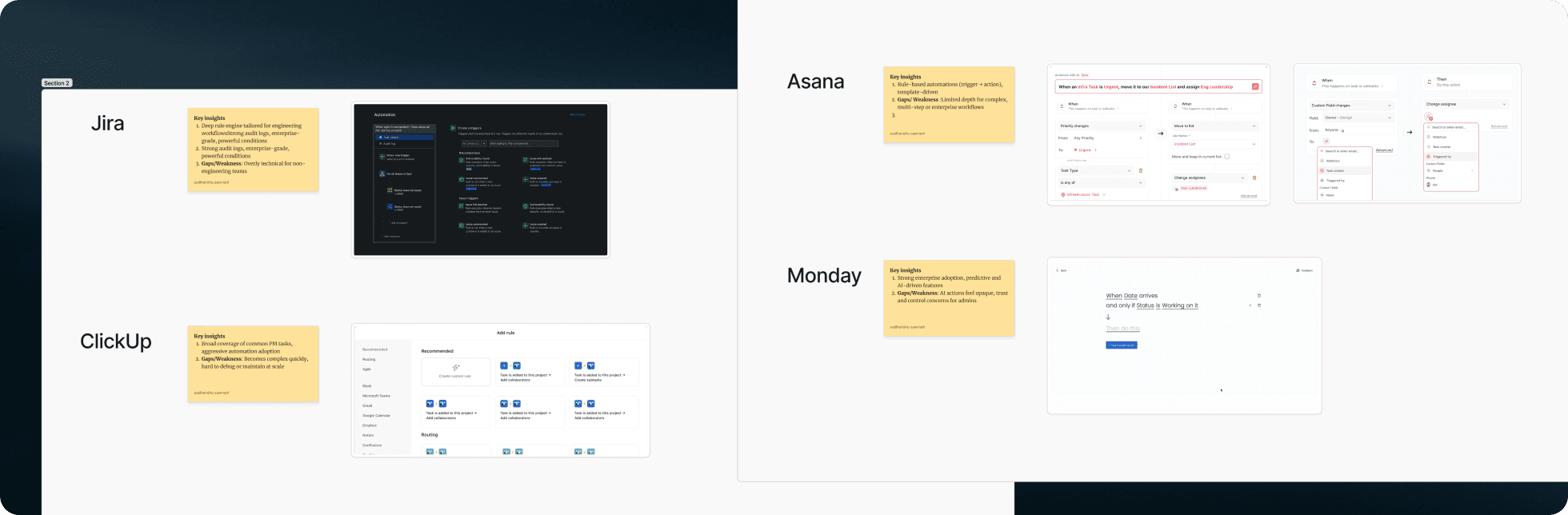
To validate the problems I conducted research across multiple sources, including GitHub issues, Discord support requests, and direct conversations with stakeholders who regularly interact with customers. I also reviewed competitor platforms to study their automation flows, patterns, and information hierarchy. This helped me understand common industry practices and the mental models users bring when creating automations.
Turning insights into direction
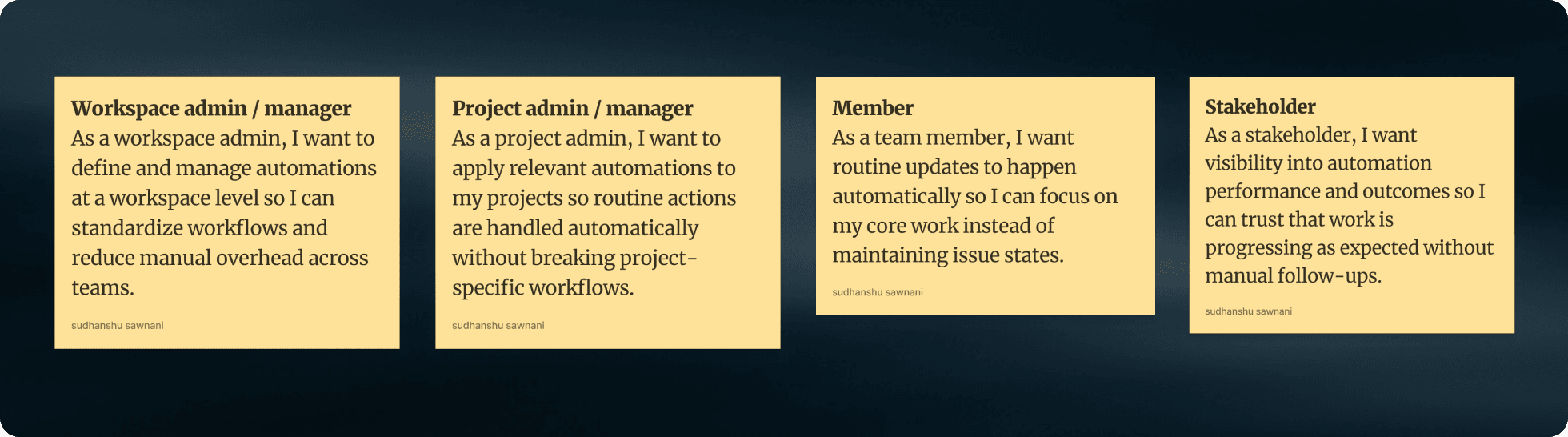
After research, I worked closely with the PM to create a small set of user stories to clarify user needs and key pain points. This helped validate insights from multiple feedback sources and build shared understanding before moving forward.
Core Mental Model
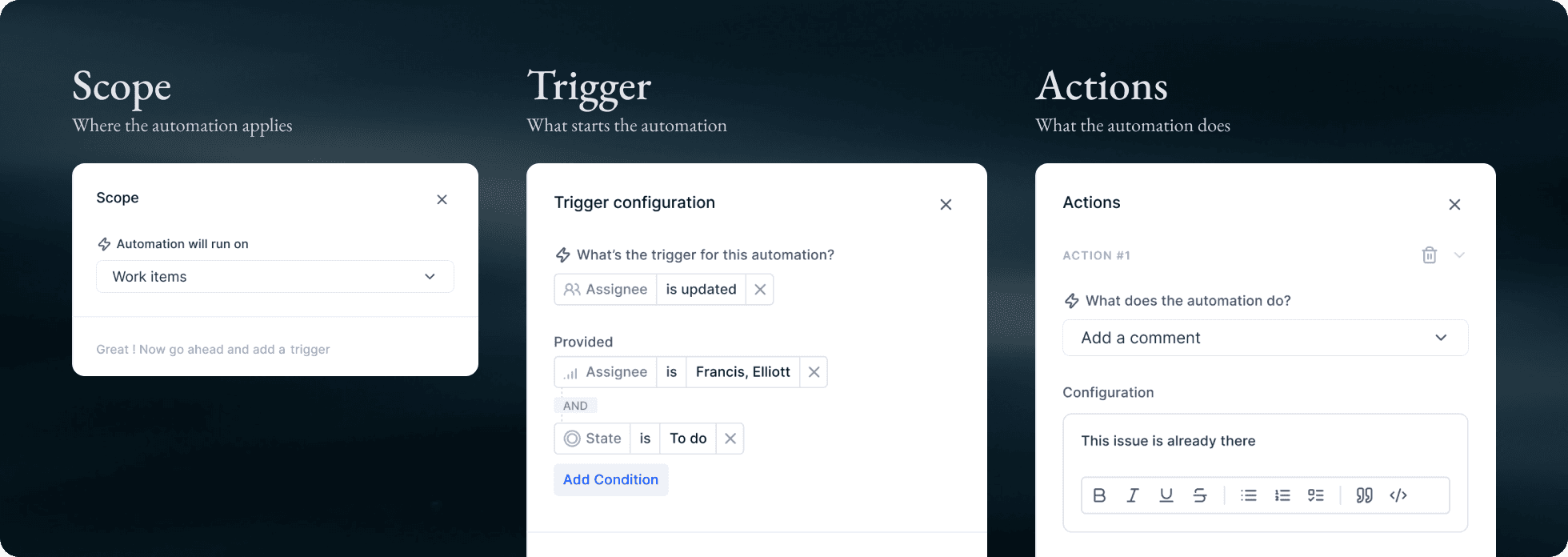
"When something happens, check a condition, then take an action." This single rule defined how Automations work across Plane.
To support this mental model, Automations follow a consistent rule grammar. This structure remained unchanged across all automation types, keeping the system predictable and easy to learn.

User flows
Since there are two distinct user roles using Automations, workspace admins who manage automations at a system level, and project admins who apply them within their projects, I created separate user flows for each role.
Early drafts with Figma AI for faster alignment and approvals
To move fast without misalignment, I used Figma’s AI early to turn PM inputs into low‑fidelity flows and validate understanding before visual polish. These drafts were shared with engineering and stakeholders for quick feedback. Once aligned, I built detailed prototypes in Figma and iterated through reviews with the design manager and PM before final handoff.
Design Principles and Execution
A few strong principles guided every decision.
Opinionated over flexible
Predictable over powerful
Understandable over clever
If users could not explain what a rule would do, the design failed. These principles were shaped through close discussions with PM and engineering.
Key decisions shaped through PM and engineering discussions included:
Limiting automation scope to work items for the first release to reduce system complexity
Clearly differentiating triggers like “is” vs “changes to” to avoid unintended bulk actions
Designing execution counting at trigger level, not action level, to keep usage metrics predictable and easy to reason about
With this alignment in place, I translated the validated flows into screens in Figma and built a working prototype. The designs went through iterative reviews with stakeholders, the design manager, and PM before being finalized.
Key features
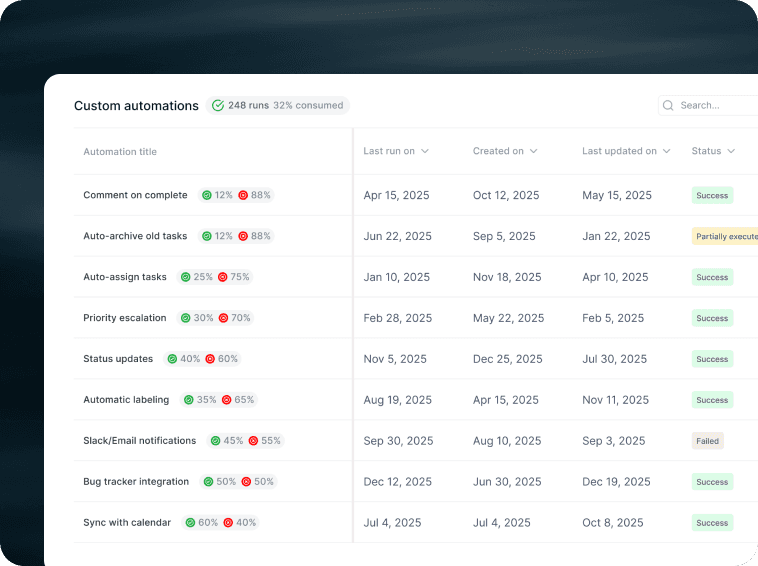
Automations were designed to keep active workspaces clean while staying predictable and easy to control.
Key capabilities.
Auto close or archive finished and inactive issues, with clear separation between close, archive, and inactivity rules
Inactivity based on updates, not just time, to avoid unintended clean‑ups
Safe defaults with clear summaries and warnings to prevent mistakes
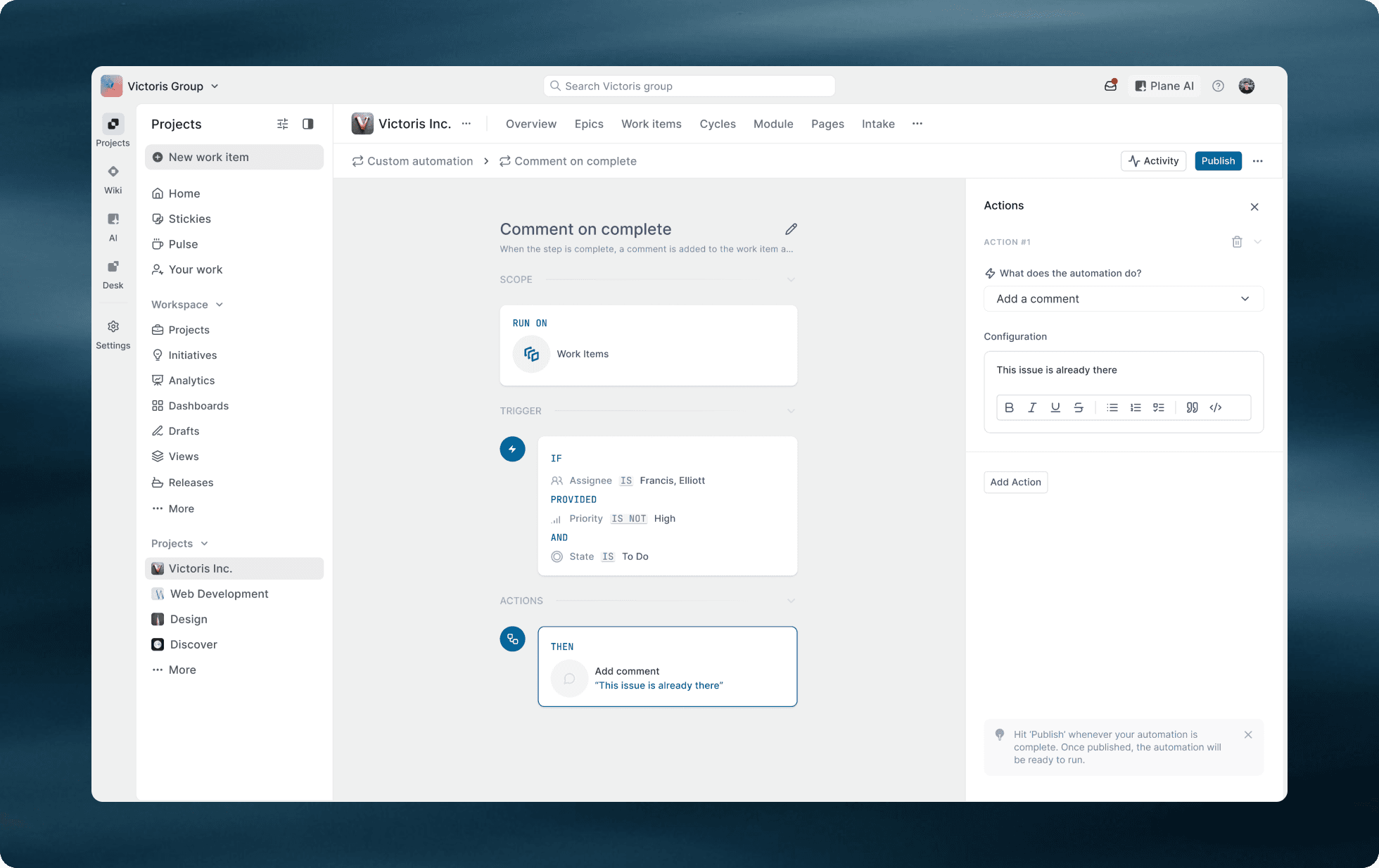
A card‑based builder with progressive disclosure to reduce cognitive load
Together, these kept automation understandable, safe, and easy to reason about..
Technical Constraints and Trade‑offs
Event‑based execution
Automations run on supported system events. For example, status or assignee changes trigger instantly, while time‑based actions run on scheduled jobs.Asynchronous execution with safeguards
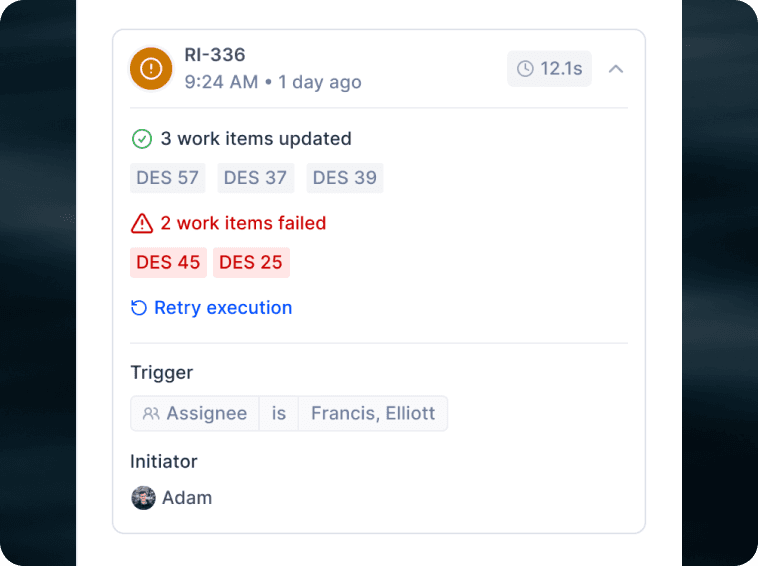
Rules run in background queues, not in real time. Designs account for delays and failures caused by permission changes or deleted items.Conflict prevention and guardrails
Built safeguards to avoid rule loops and limit bulk actions, protecting system stability and performance.
Outcome
Automations shipped in private beta and its in GA within a short development cycle. Early, directional signals from the first month of usage showed promising impact.
~30% of automation-related support tickets were resolved within 2 days, compared to longer manual cycles earlier
Noticeable reduction in repetitive manual updates for PMs across active projects
Cleaner workspaces as inactive and completed work was handled automatically
Fewer support requests related to bulk actions and missed updates
These numbers are anticipated and based on early adoption patterns, internal observations, and initial customer feedback.
Here is a quick prototype of the feature ↴
Learnings and Collaboration
Key takeaways from this project.
Thoughtful constraints improved clarity and usability
AI is a better companion than I expected
Over communication is the best communication
This work was highly collaborative.
Co-defined scope and PRD with PM
Partnered with engineering early on real-world scenarios
Validated flows before visual polish to avoid rework
Early alignment across design, product, and engineering helped keep decisions grounded in real usage and move faster with confidence.
What I’d Explore Next
Integrating automations with Plane AI to create the automations inside chat or from slack thread or any relevant place
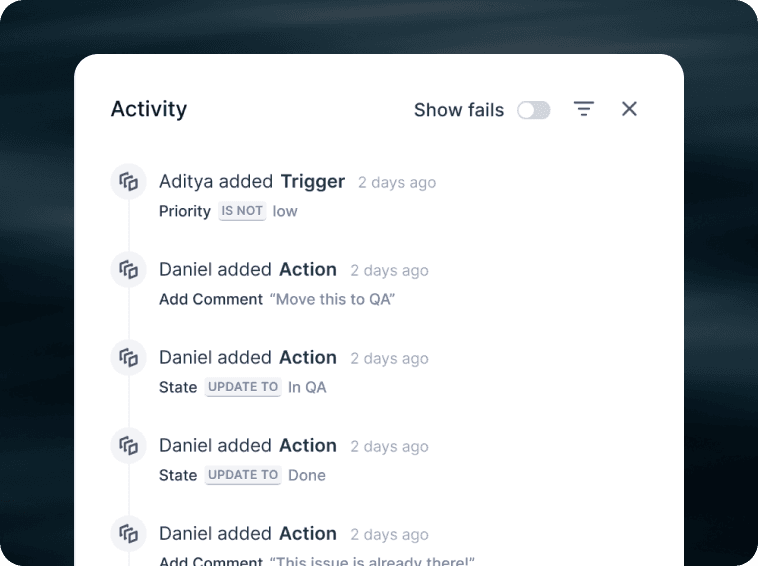
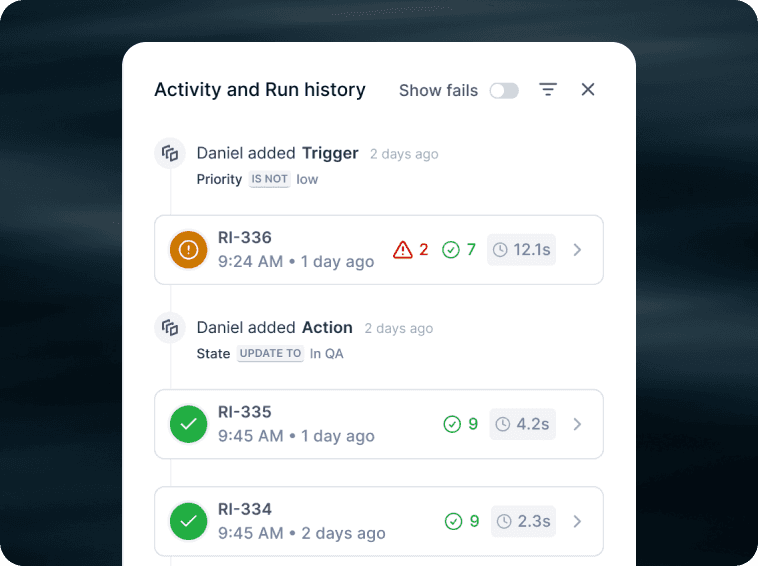
Rule activity logs for transparency
Simulation mode before enabling automations
Shared templates for common workflows
How automation can be incorporated in workflows
These would further reduce hesitation and speed up adoption.
My Role
I owned the end‑to‑end design of Automations.
Partnered closely with PM on problem framing and scope
Worked with engineering to define rule structure and edge cases
Led UX, interaction, and visual design
Prepared design specs, supported handoff and partnered again with PM to make the PRD
Decisions were made collaboratively, but design ownership remained with me.