Product design
Increased work efficiency by 50% with automations in Plane - The Work Management Platform
As Plane scaled with more enterprise teams, repetitive manual work increased and began to feel like maintenance rather than meaningful product work. Automations was designed to reduce this friction by handling predictable actions in a way teams could trust.
Team
1 Product Designer
1 Product Manager
2 Developers
Timeline
May - July'25
Company/Client
Plane
Industry
Project management
Productivity
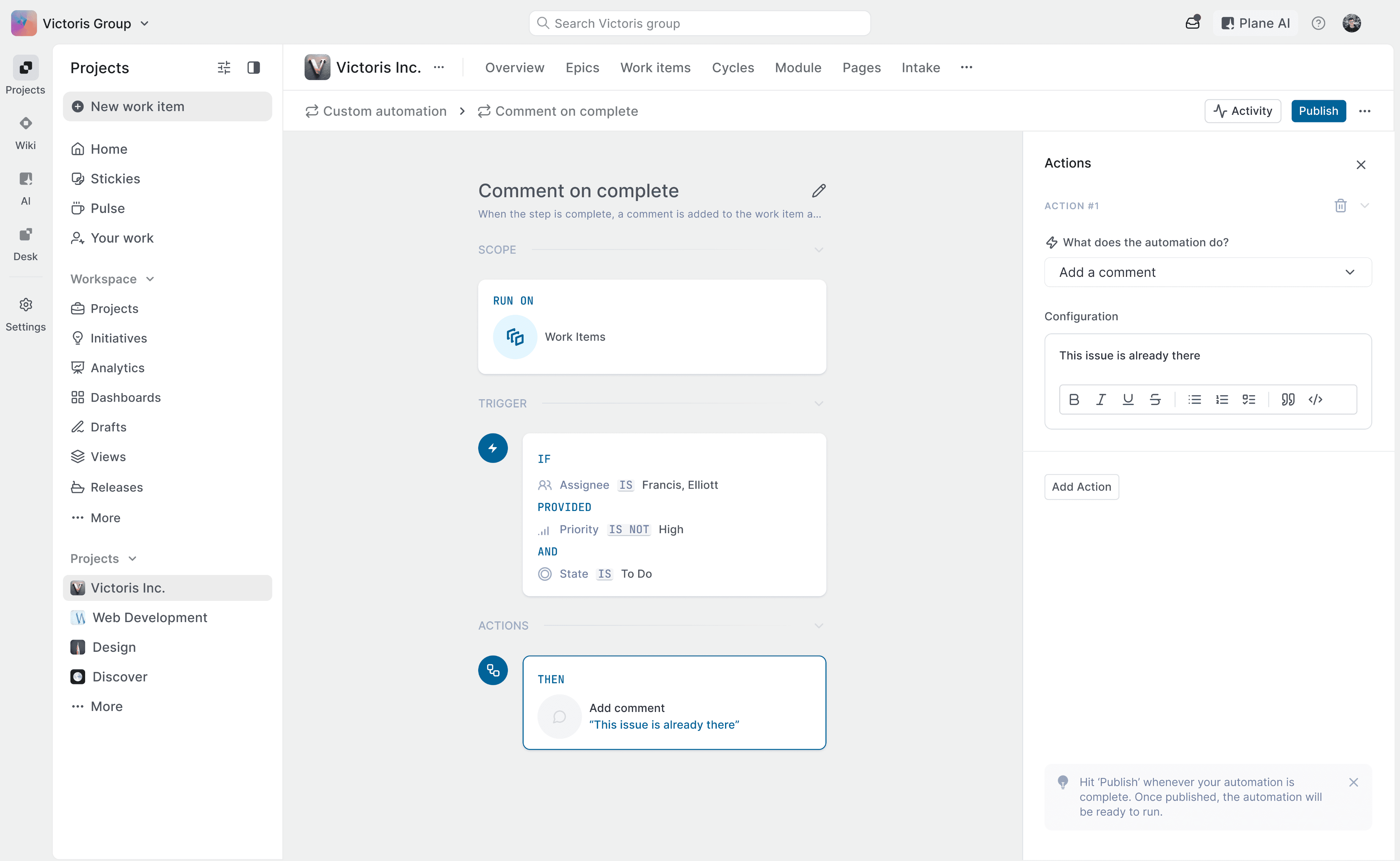
The Canvas
where automations come to life
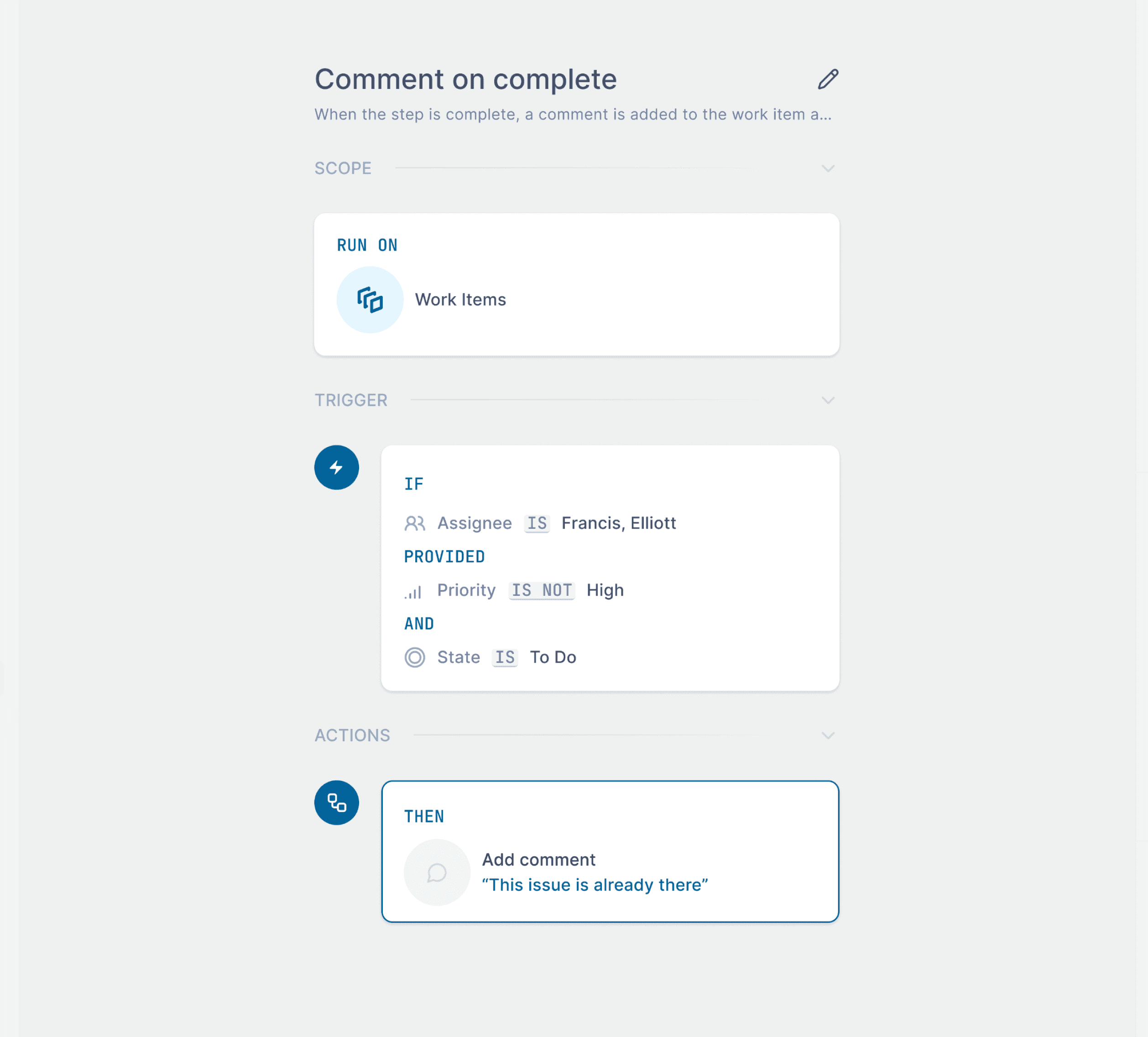
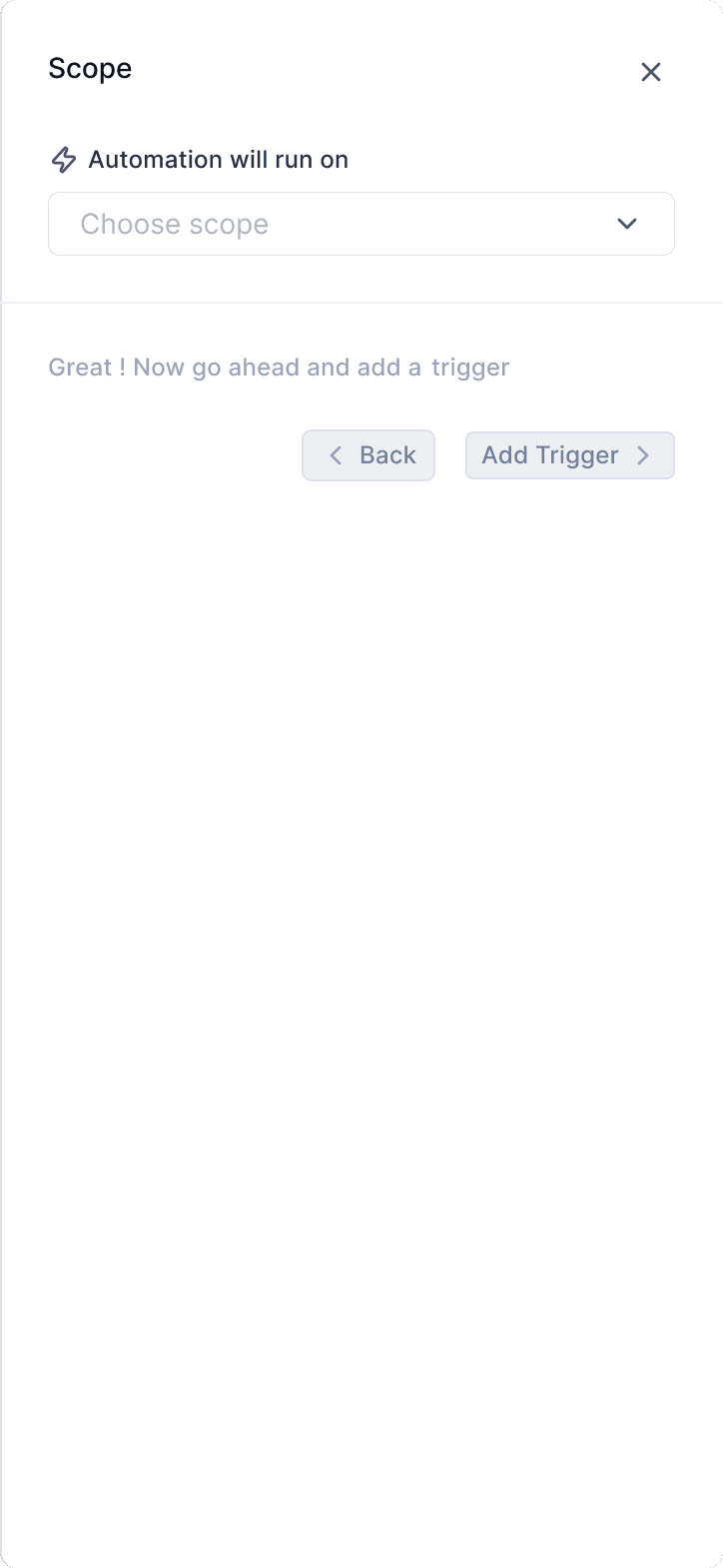
Choose where this automation applies
Specify the conditions that trigger the automation
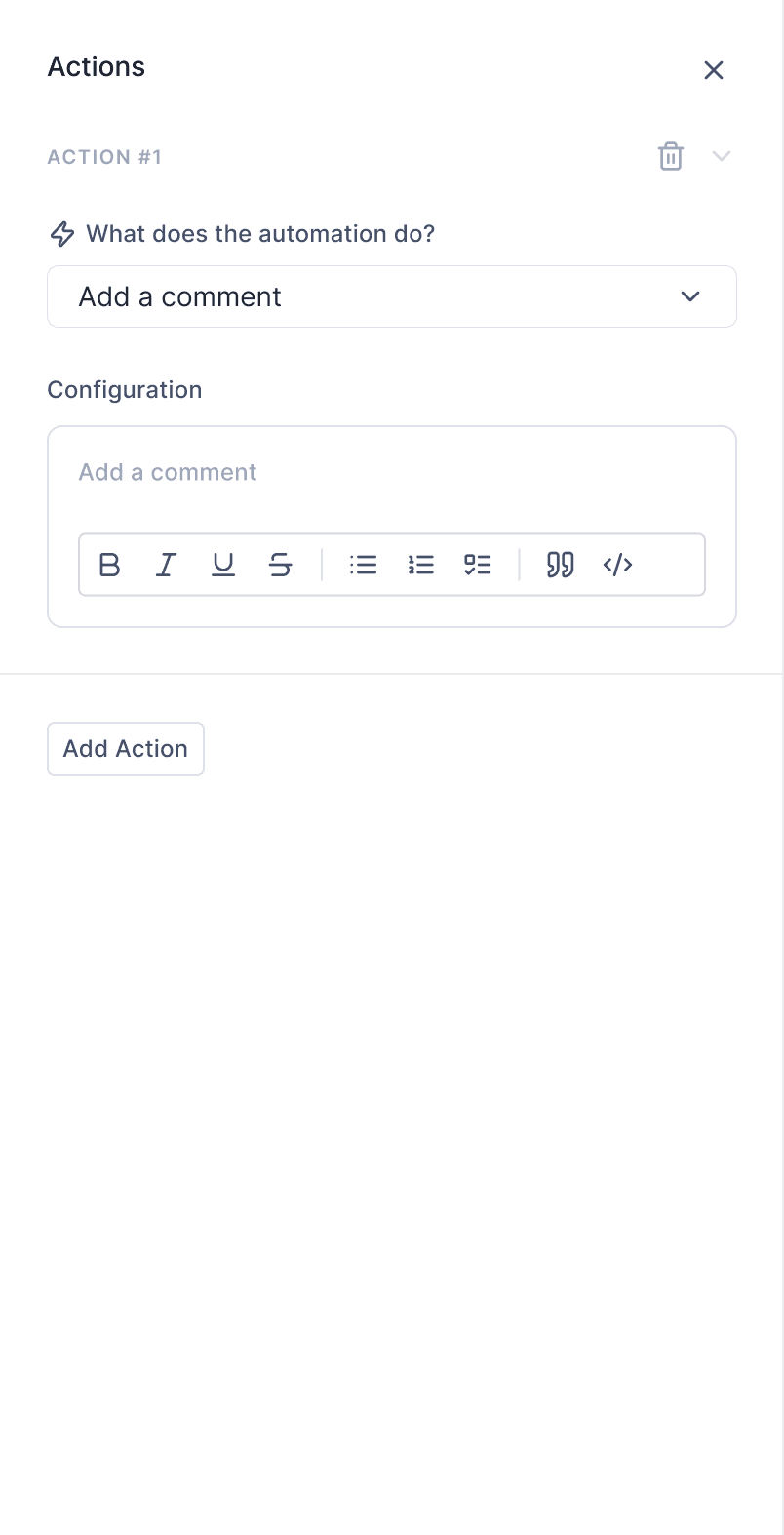
Set the action that executes when conditions are met
Give your automation a clear name and purpose so teammates understand what it does
for some context
As more customers started using Plane to manage larger and more complex workflows, a clear pattern emerged. Users were spending a disproportionate amount of time on repetitive, operational tasks instead of actual work.
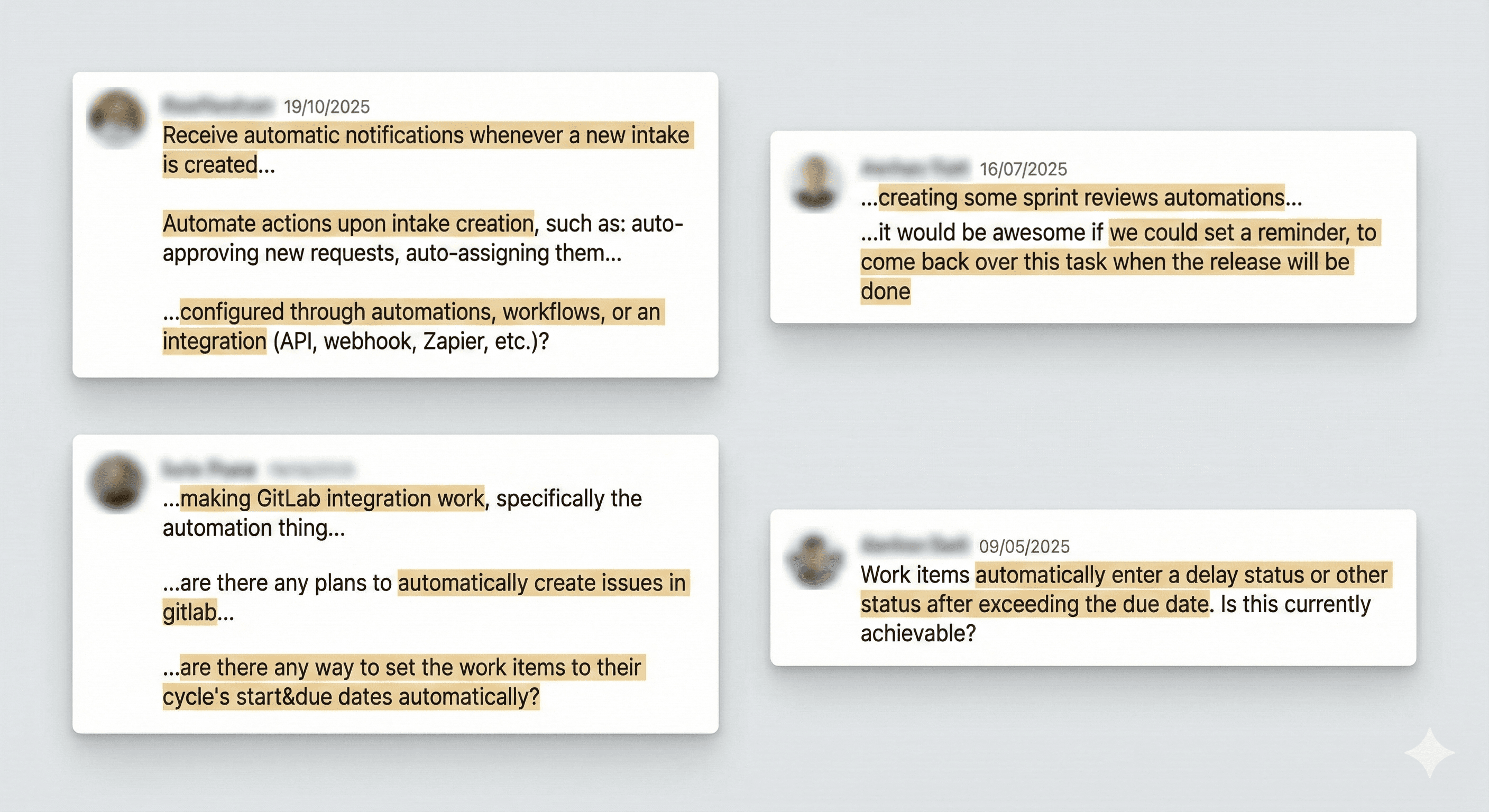
Through internal feedback, customer conversations, and support requests, one core problem became evident:
Repetitive operational updates were pulling users away from meaningful problem-solving and real work.
As workflows scaled, users spent more time maintaining the system than using it to move work forward.
it mattered because
These manual actions added constant workflow noise and led to inconsistencies across projects, especially at scale.
due to this
Users expressed frustration over excessive manual tasks, which could lead to issues such as high drop-off rates and cluttered boards filled with outdated tickets. This situation might drive users to switch to other platforms, risking our business to competitors.
How do we tackle this?
some other important things
long story short "When something happens, check a condition, then take an action." This single rule defined how Automations work across Plane.
but how do we get to this?
We explored everything from understanding what automation means to how power users rely on project management tools in their daily workflows.
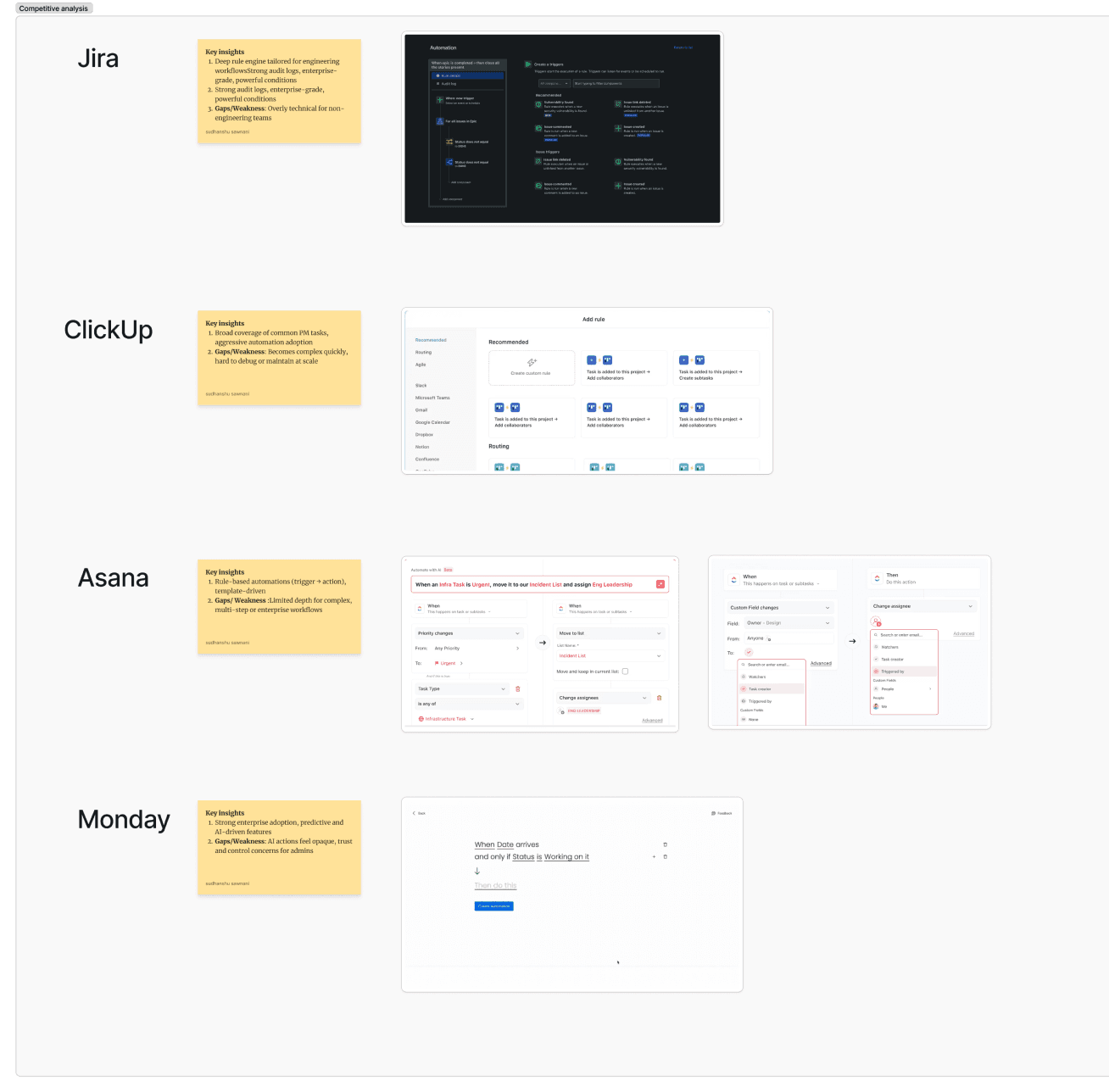
We reviewed GitHub issues, Discord support requests, and had direct conversations with stakeholders who regularly interact with customers. I also studied competitor platforms to analyze their automation flows, patterns, and information hierarchy, helping us understand what’s working, how users engage with interfaces, and what truly supports their needs.
we created initial set of wireframes and using those wireframes we created a working prototype in Figma Make to validate the concept with users and collect early feedback from PMs and stakeholders.
The canvas will reflect what is changing in real time and editor is where you are creating the automation
Now since automation is created, it is ready to be published and tracked
can’t finish without a failure. right? No, not my failures, that will be helluva long list, I am talking about the automation failure states.
There should be a strong collab between engineering and design to move the needle in favour of users, initially I was asked so many questions from engineering and in our weekly demo calls clarity started flowing in we could shape the feature that people will use.
Shipping fast is more important than anything, but it can't come at the cost of shitty UX. Even tho production was ready we had to move the GA date to rectify design and technical problems in usability tests amongst the team
Early feedback saves not only time but lives too :p, point here is with the early iterations and feedback on AI prototype we gained a lot of clarity to create the smooth experience
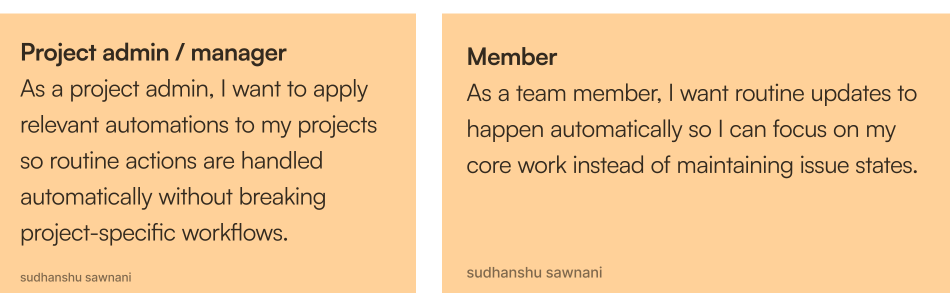
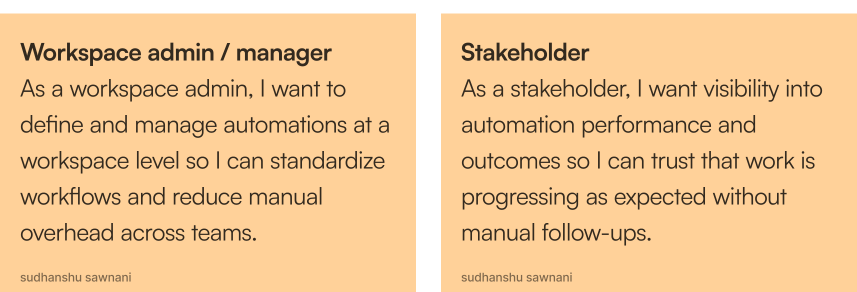
from these research insights, we drafted some user stories
Based on this,
this approach helped us move faster and validate decisions early. Here are the results
and Voila!!
the feature is shipped within 6 weeks and this is how it works currently
Constraints and trade-offs we have to make in our journey
What did I learnt from this project
and thats how it ended.
Thanks for staying till end!

The Editor
Where automations are configured and refined
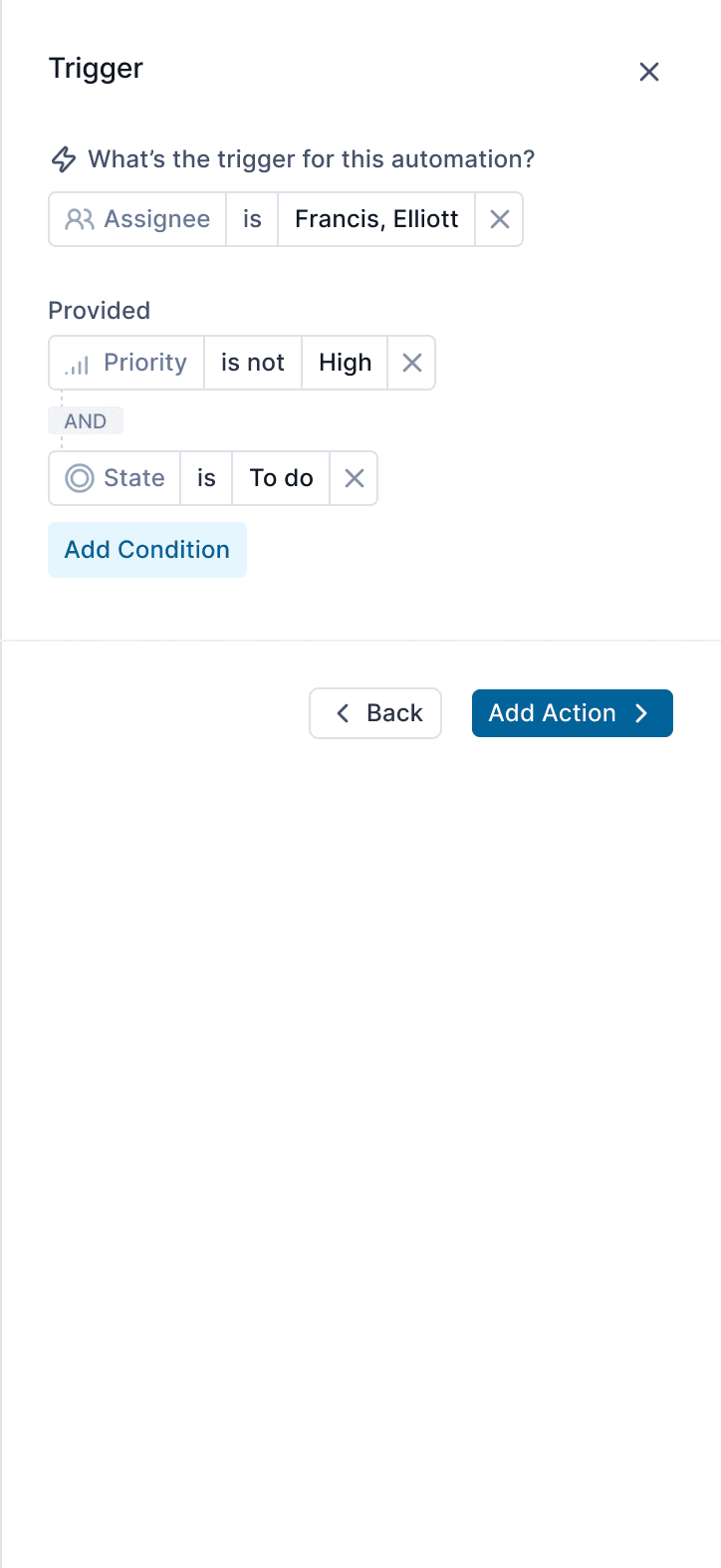
Add and combine conditions to control when the automation runs
Configure the action details before saving
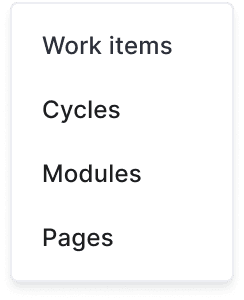
Choosing scope on which automation will run on
Choose a property-based trigger to start the automation
Define the action the automation performs
Published Automation
Monitor runs, failures, and performance in real time
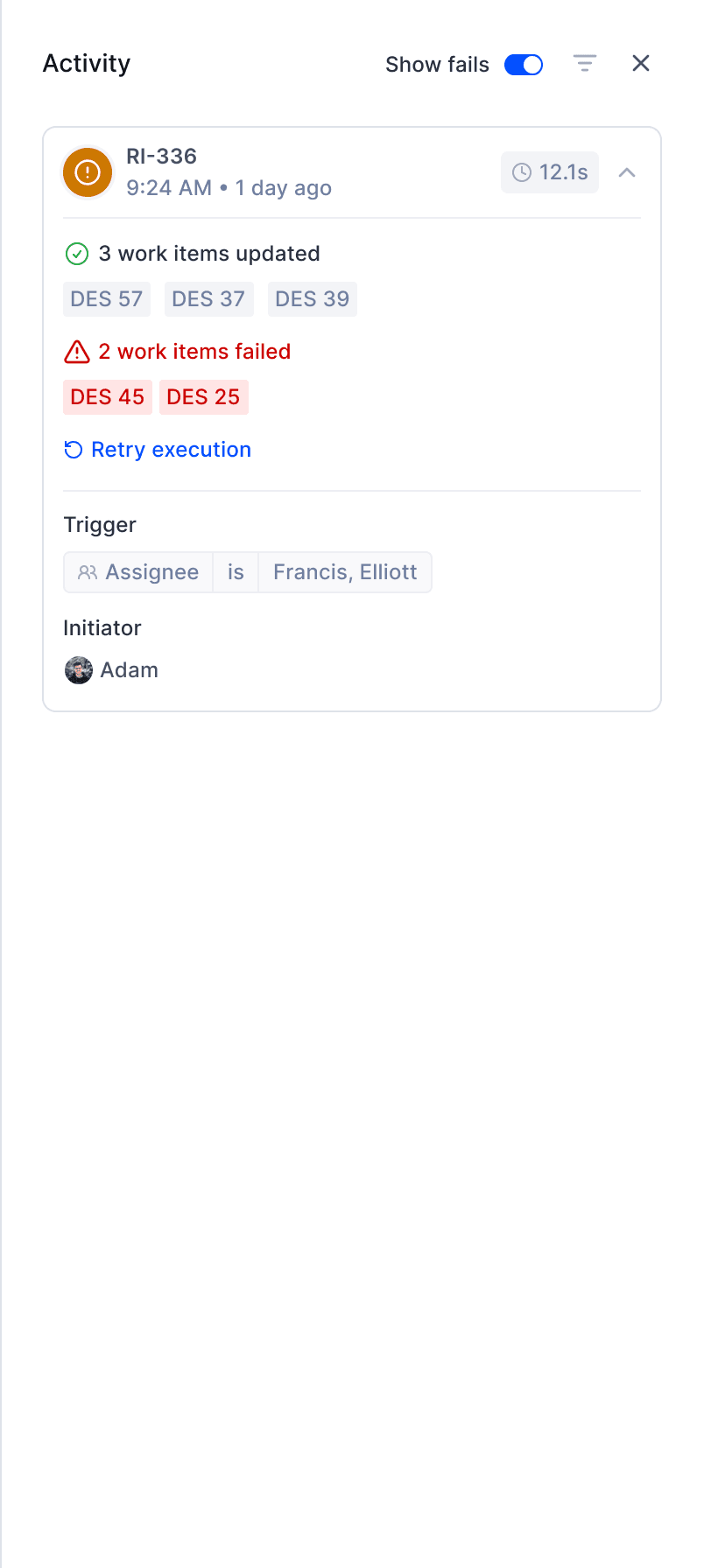
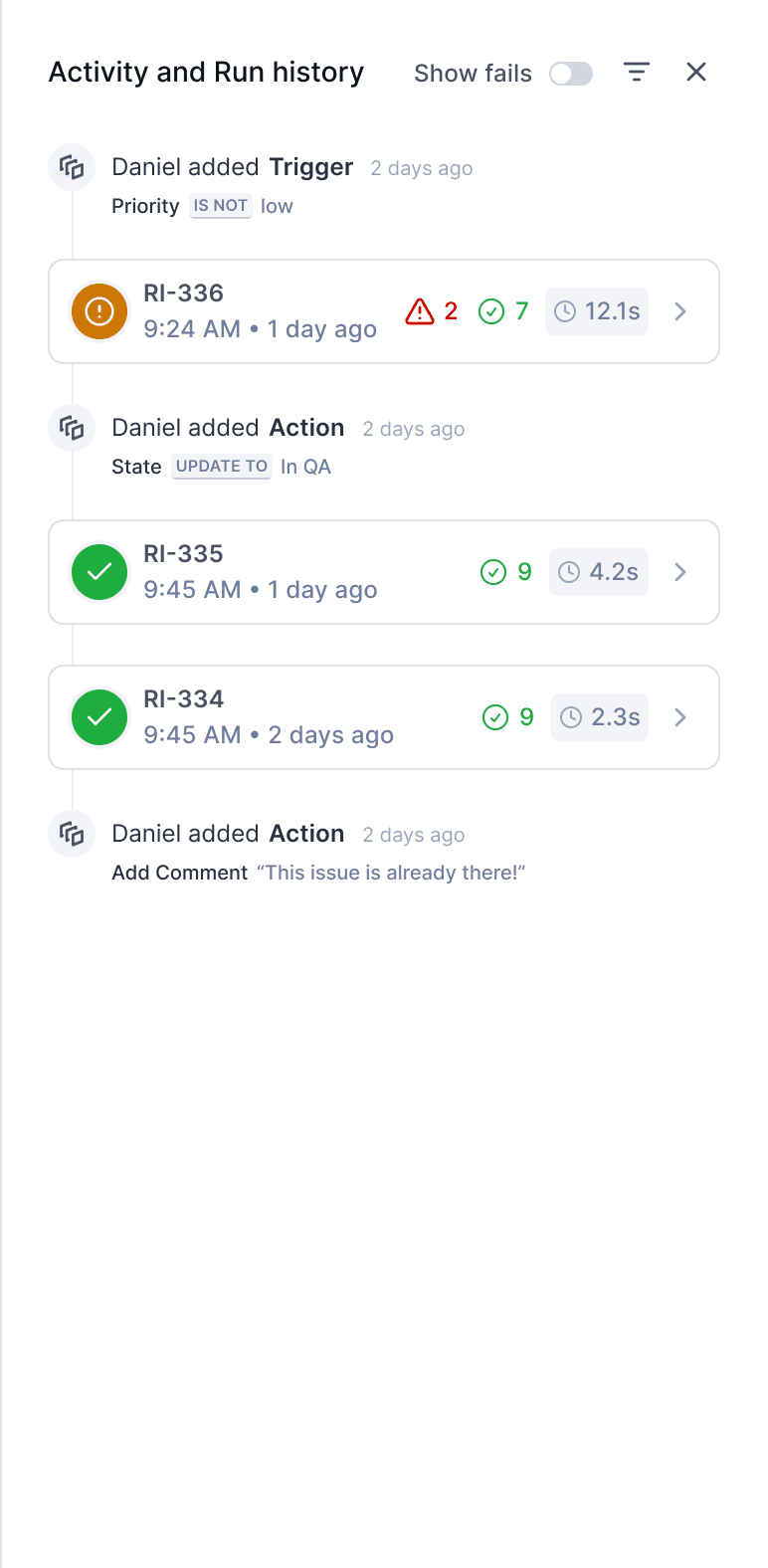
View activity and run history for a published automation
Quick filter to see only failed runs
Orange indicates a partial failure
Use filters to switch between activity and run history
See how long the automation took to run
Hover to see why the automation failed
Retry execution if failure was caused by a temporary error
View the initiator to know who to contact
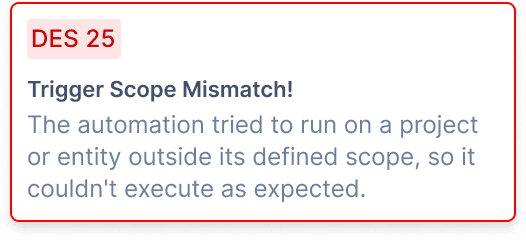
fail detail
Handling failures
chec
App
Notfication
Clearly differentiating triggers like “is” vs “changes to” to avoid unintended bulk actions
Designing execution counting at trigger level, not action level, to keep usage metrics predictable and easy to reason about
Scope
Define where automation will work
Trigger
Identify the event that will start the automation
Action
Task that will be executed in the automation
🗣️
If an automation fails, admins are notified via email, mobile, and web with a link to review and fix the issue.
Limiting automation scope to work items for the first release to reduce system complexity
how Automation might or is impacting our users
30%
of automation-related support tickets were resolved within 2 days, compared to longer manual cycles earlier
Noticeable reduction in repetitive manual updates for PMs across active projects
Fewer support requests related to bulk actions and missed updates
Cleaner workspaces as inactive and completed work was handled automatically
The numbers are anticipated and based on early adoption patterns, internal observations, and initial customer feedback.
Insights from the
feedback