Product design
Increased work efficiency with automations in Plane
As Plane scaled with more enterprise teams, repetitive manual work increased and began to feel like maintenance rather than meaningful product work. Automations was designed to reduce this friction by handling predictable actions in a way teams could trust.
TEAM
2 Product Designers
1 Product Manager
2 Developers
Timeline
May - July'25
Industry
Project management
Productivity
Company
for some context
As more customers started using Plane to manage larger and more complex workflows, a clear pattern emerged. Users were spending a disproportionate amount of time on repetitive, operational tasks instead of actual work.
through internal feedback, customer conversations, and support requests, one core problem became evident:
As workflows scaled, users were spending a disproportionate amount of time on repetitive operational updates instead of meaningful problem-solving. These manual tasks often led to missed or delayed actions, creating inconsistencies across workflows, while bulk operations felt risky and hard to reason about, making it harder for users to confidently move work forward.
why it mattered
These manual actions added constant workflow noise and led to inconsistencies across projects, especially at scale.
as a result
Users expressed frustration over excessive manual tasks, which could lead to issues such as high drop-off rates and cluttered boards filled with outdated tickets. This situation might drive users to switch to other platforms, risking our business to competitors.
How did we tackle this?
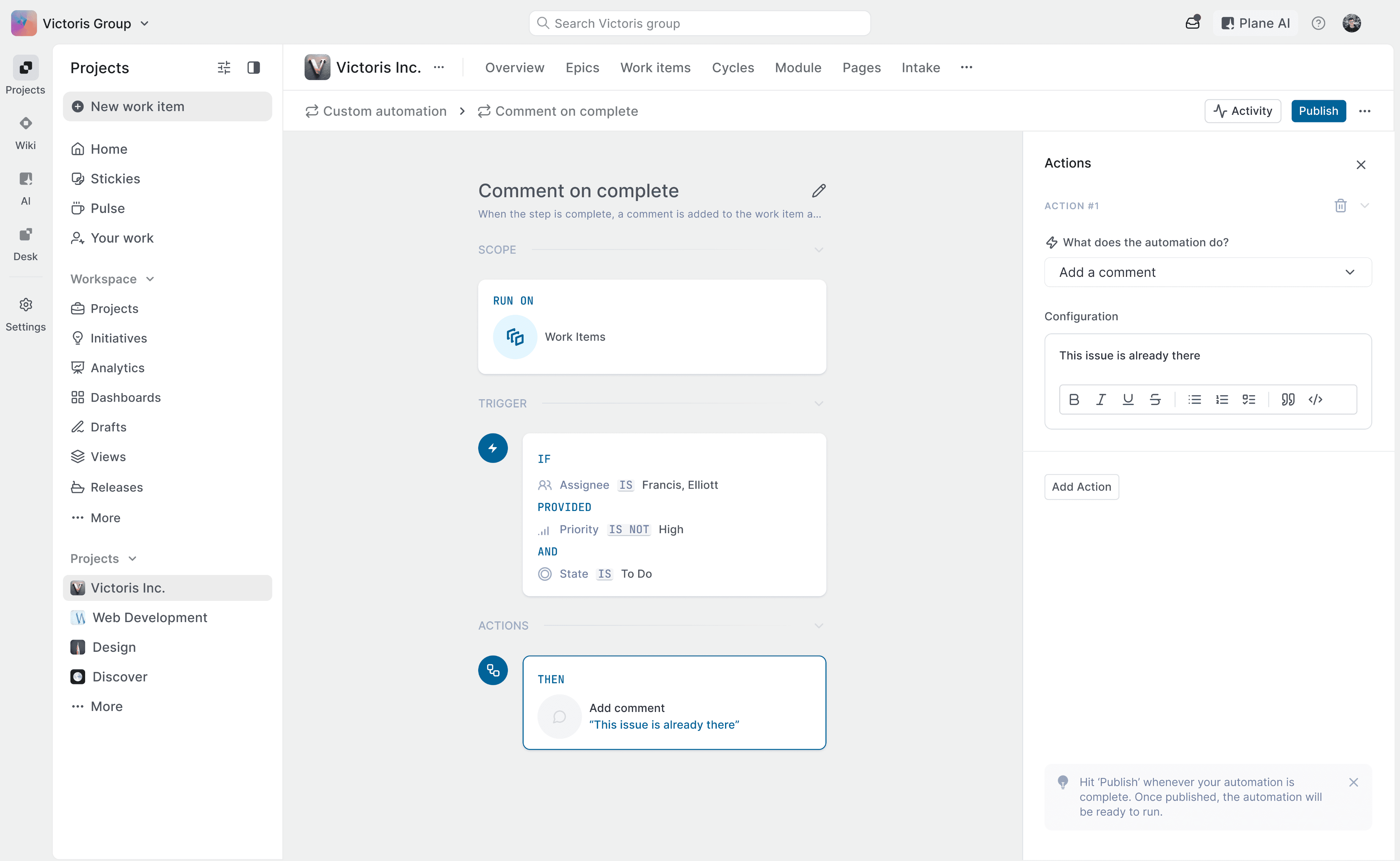
This single rule defined how Automations work across Plane.
"When something happens, check a condition, then take an action."
Scope
Define where automation will work
Trigger
Identify the event that will start the automation
Action
Task that will be executed in the automation
but how do we get to this?
We needed to understand automation for how power user use them in their daily workflows.
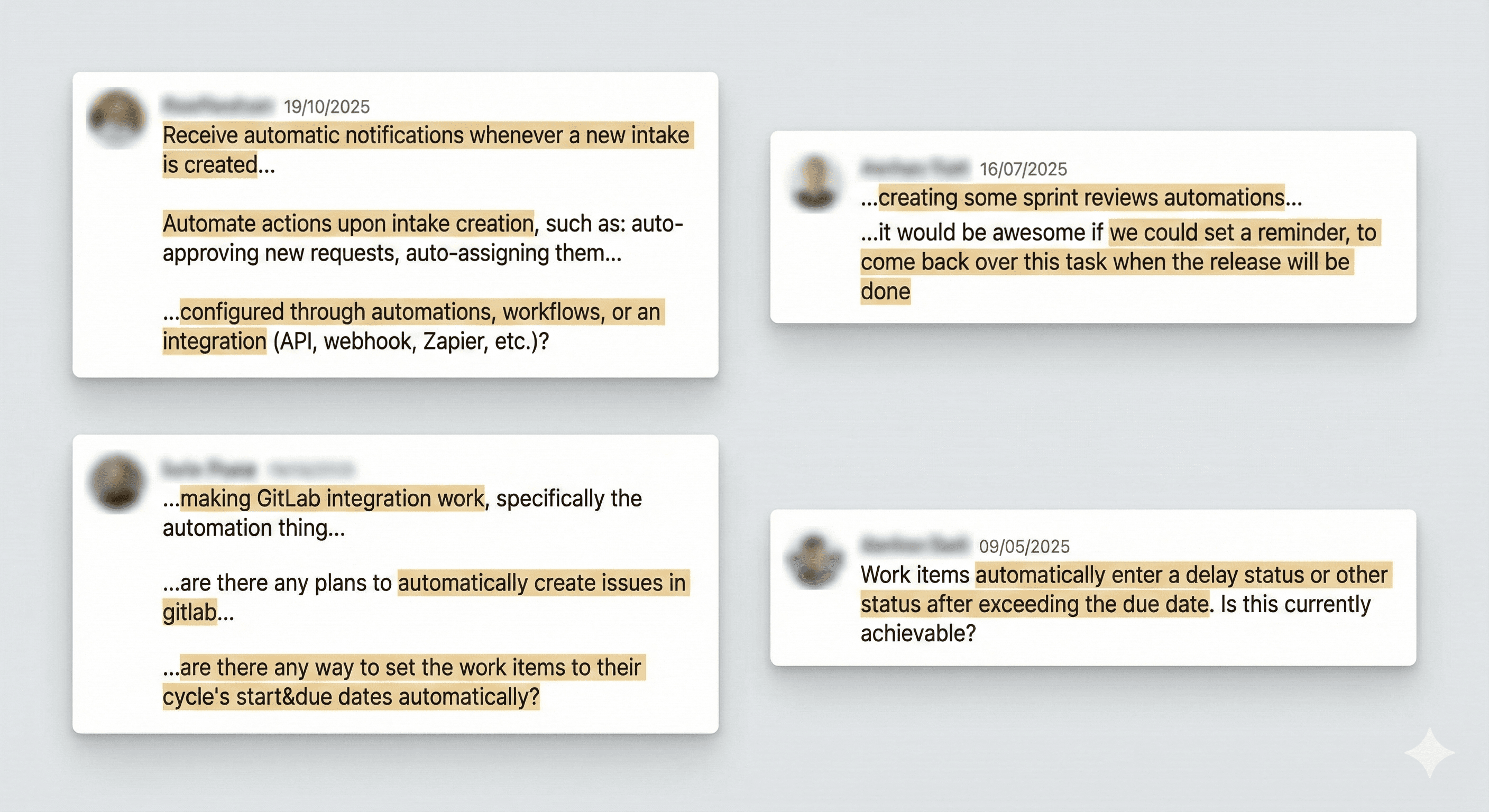
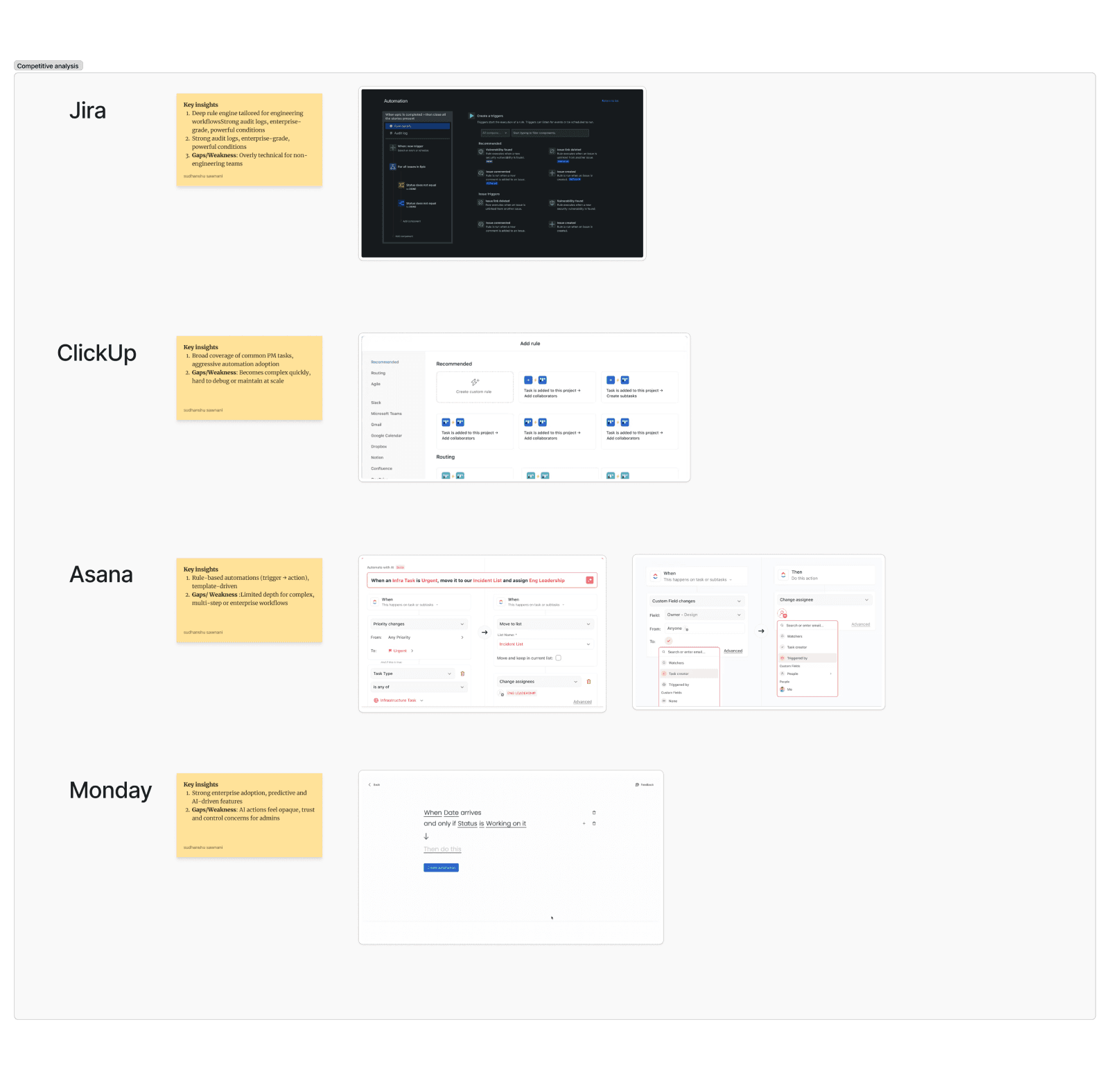
I studied issues & support requests from GitHub & Discord, had direct conversations with customer success managers, analysed competitors to get insights on Automation flows, Information Hierarchy, patterns, user preferences and needs.
from these research insights,
we drafted some user stories
Workspace admin / manager
As a workspace admin, I want to define and manage automations at a workspace level so I can standardize workflows and reduce manual overhead across teams.
sudhanshu sawnani
Stakeholder
As a stakeholder, I want visibility into automation performance and outcomes so I can trust that work is progressing as expected without manual follow-ups.
sudhanshu sawnani
Member
As a team member, I want routine updates to happen automatically so I can focus on my core work instead of maintaining issue states.
sudhanshu sawnani
Project admin / manager
As a project admin, I want to apply relevant automations to my projects so routine actions are handled automatically without breaking project-specific workflows.
sudhanshu sawnani
based on this,
we created initial set of wireframes and using those wireframes we created a working prototype in Figma Make to validate the concept with users and collect early feedback from PMs and stakeholders.
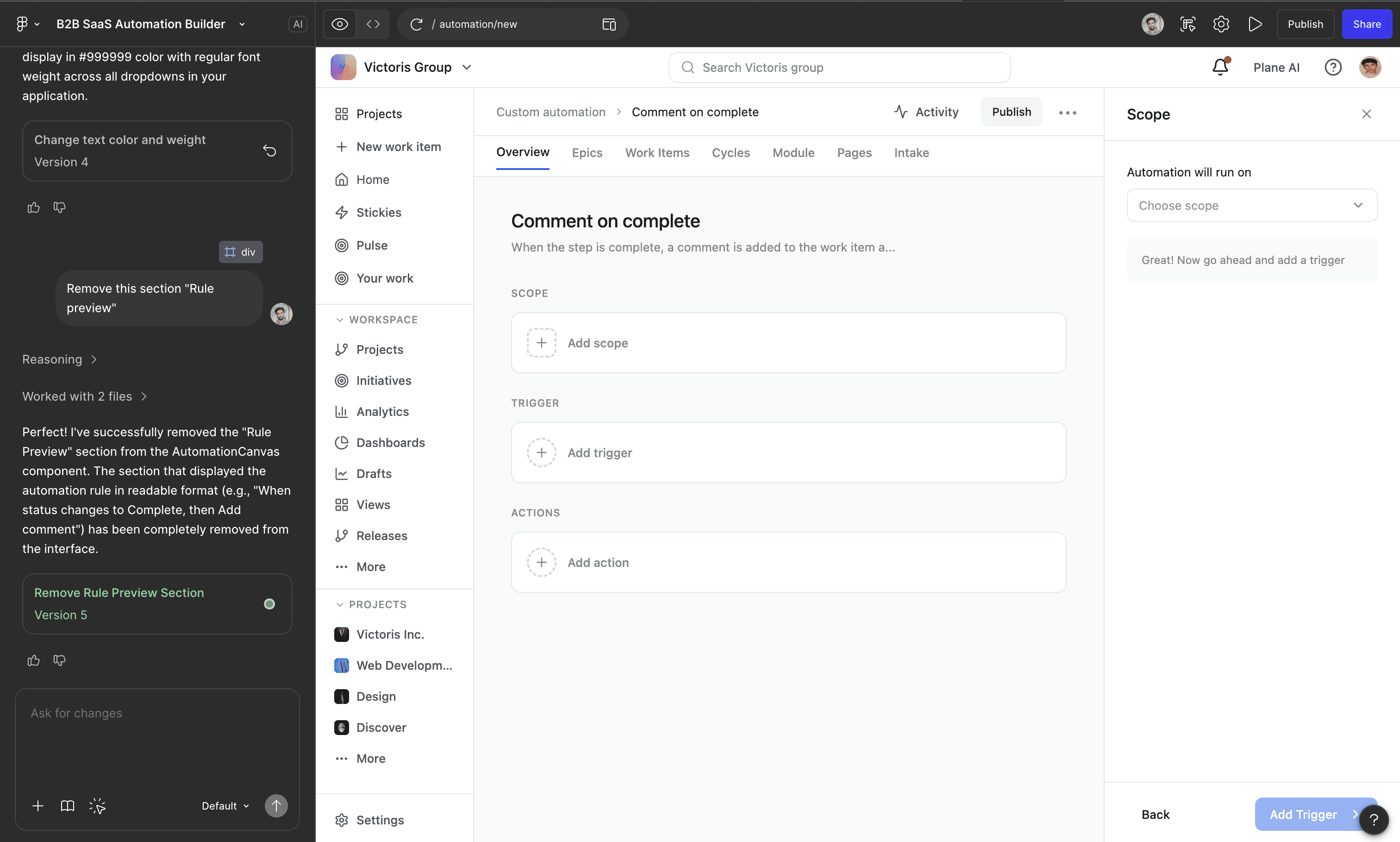
Please note that the image above is for visual reference only. The actual output cannot be shared due to NDA constraints.
this approach helped us move faster and validate decisions early,
here are the results…
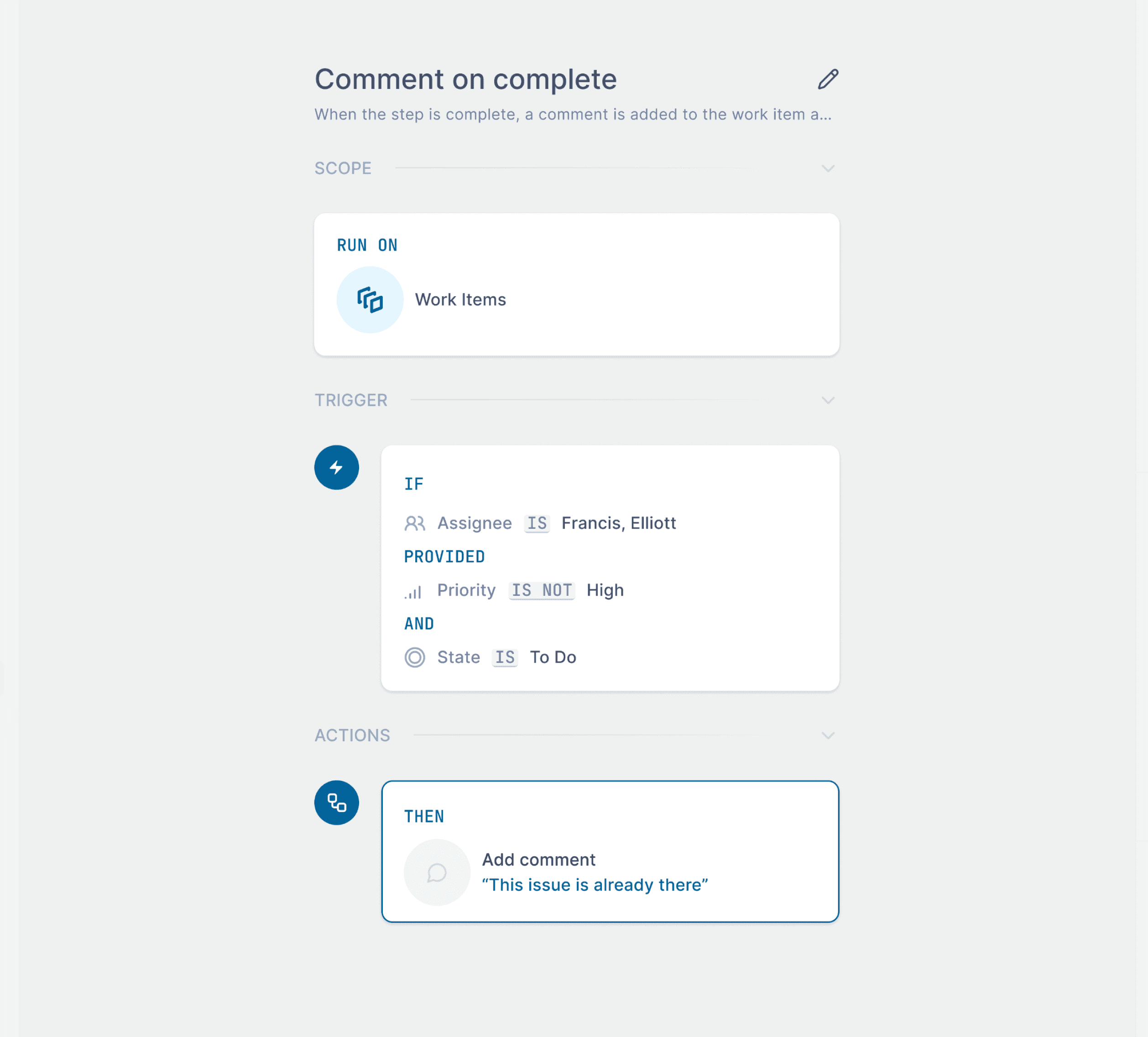
The Canvas
where automations come to life
Choose where this automation applies
Specify the conditions that trigger the automation
Set the action that executes when conditions are met
Give your automation a clear name and purpose so teammates understand what it does
The Canvas will reflect what is changing in real time and
the Editor is where you are creating the automation
The Editor
where automations are configured and refined
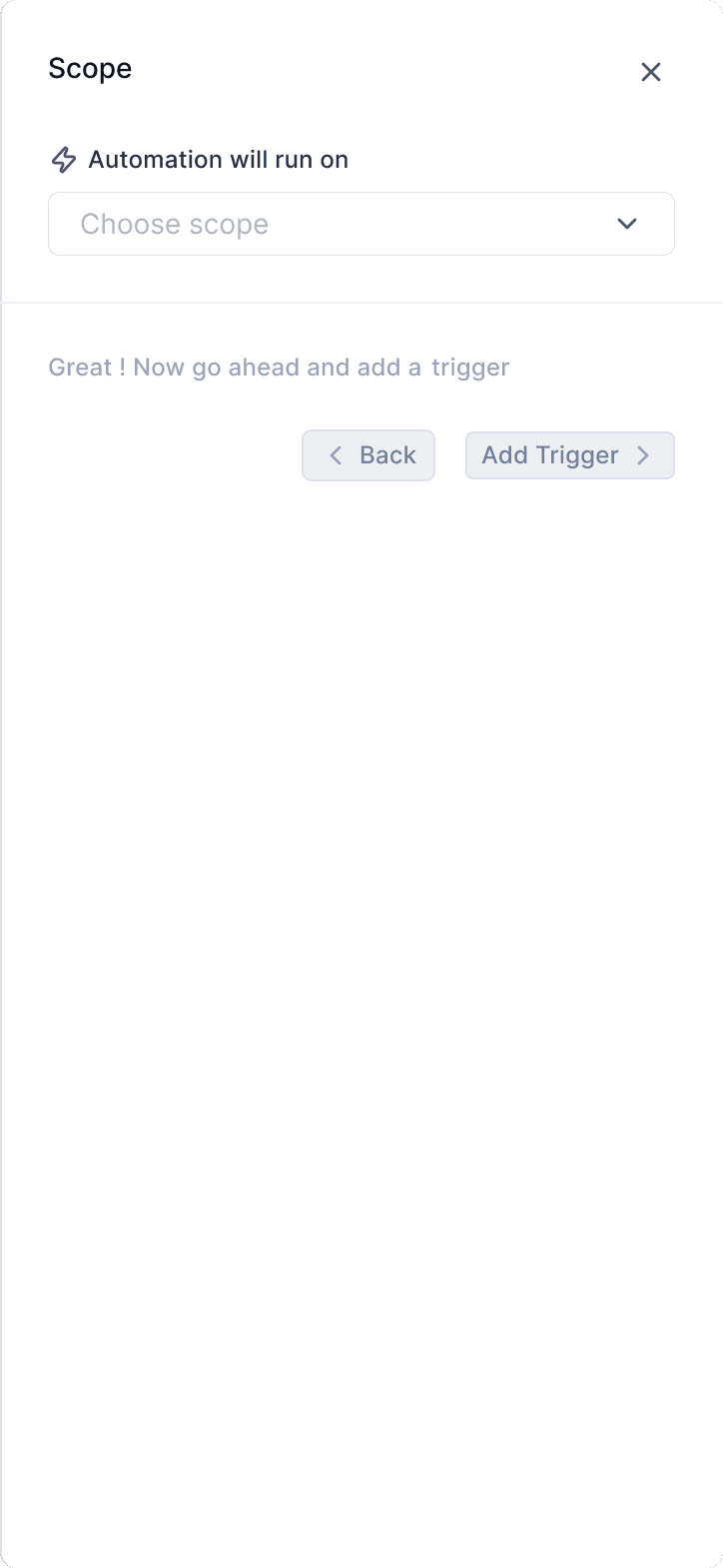
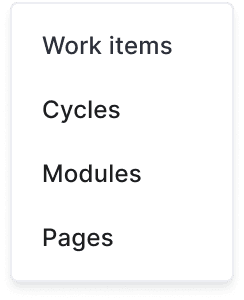
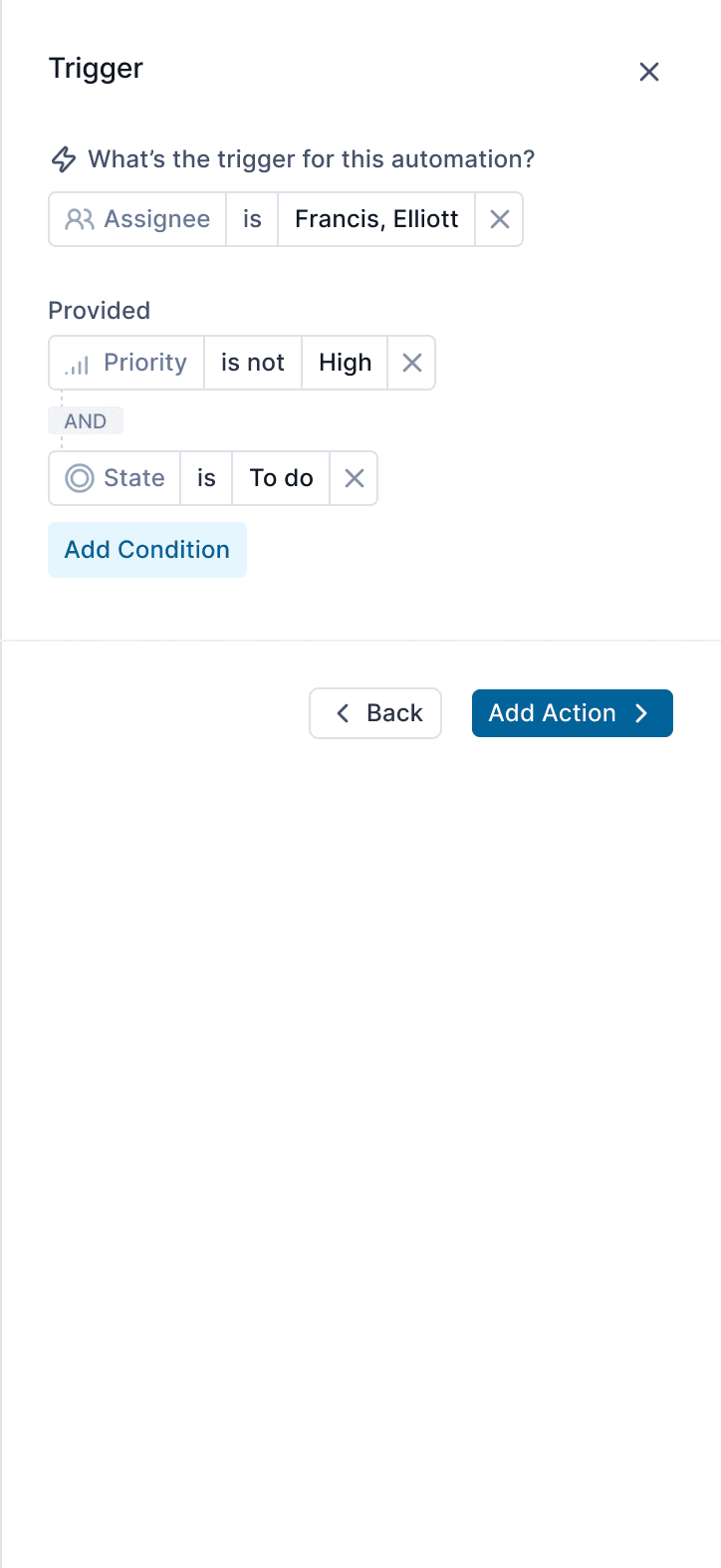
Add and combine conditions to control when the automation runs
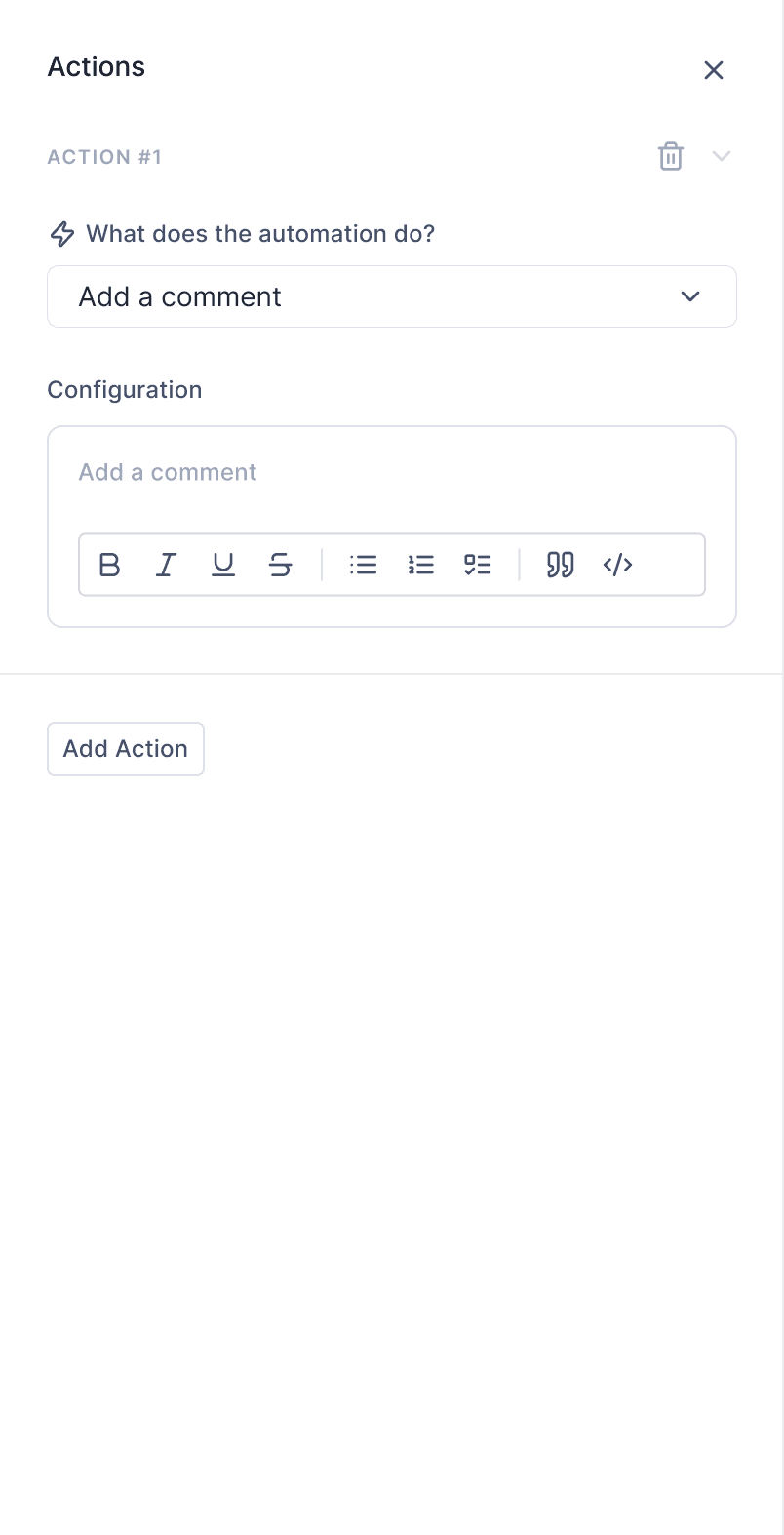
Configure the action details before saving
Choosing scope on which automation will run on
Define the action the automation performs
Choose a property-based trigger to start the automation
Now since automation is created, it is ready to be published and tracked
Published Automation
monitor runs, failures, and performance in real time
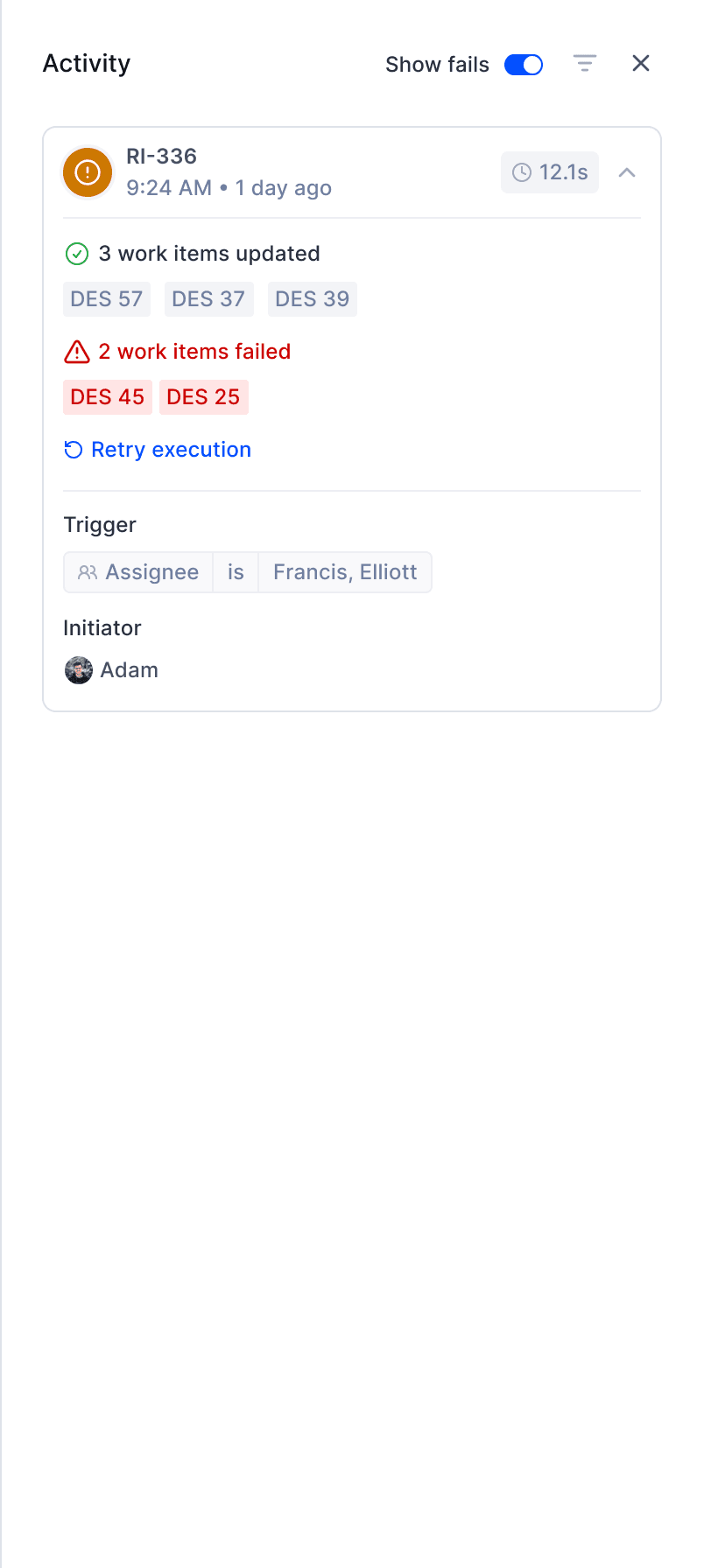
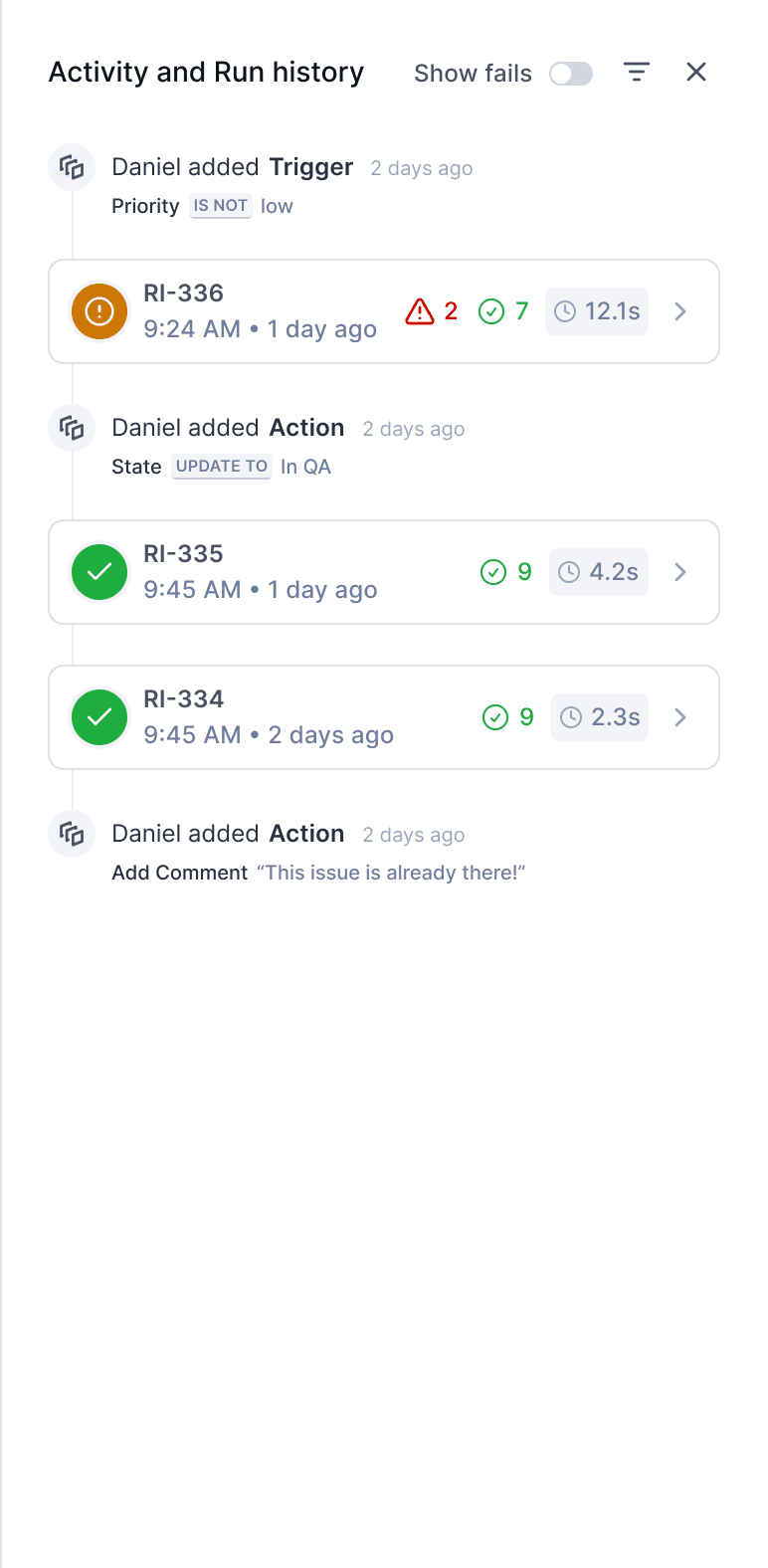
a timeline view for a published automation alongwith Run IDs and automation status
Quick filter to see only failed runs
Color indicates a partial failure
Use filters to switch between activity and run history
See how long the automation took to run
Hover to see why the automation failed
Retry execution if failure was caused by a temporary error
View the initiator to know who to contact
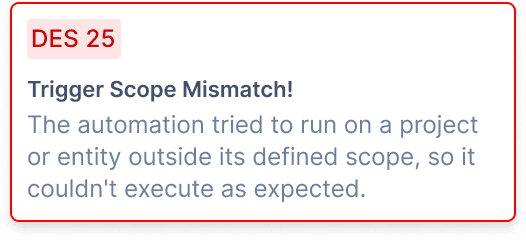
can’t finish without a failure. right? No, not my failures, that will be helluva long list,
I am talking about the automation failure states.
🗣️
If an automation fails, admins are notified via email, mobile, and web with a link to review and fix the issue.
Handling failures
Clear visibility and quick recovery when automations fail
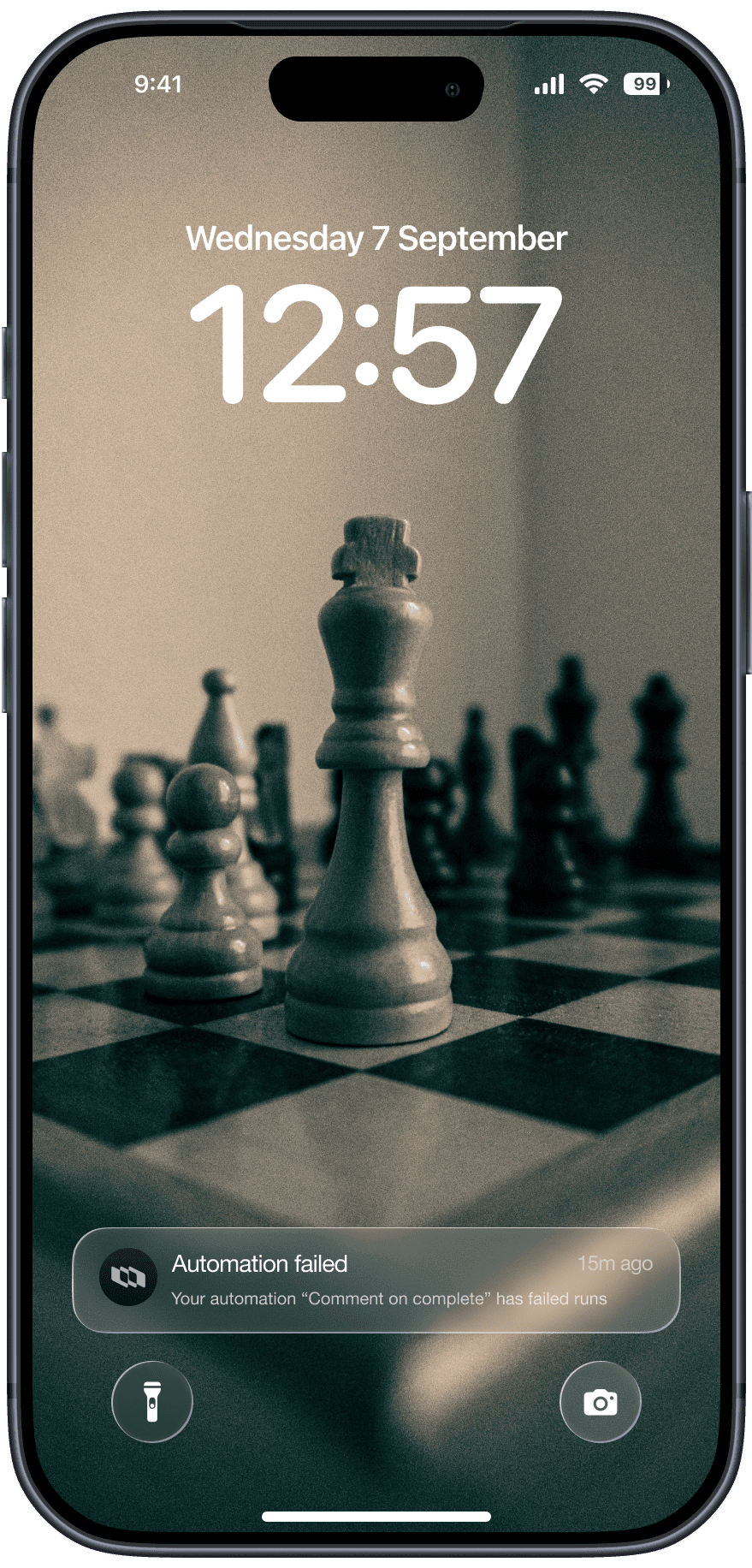
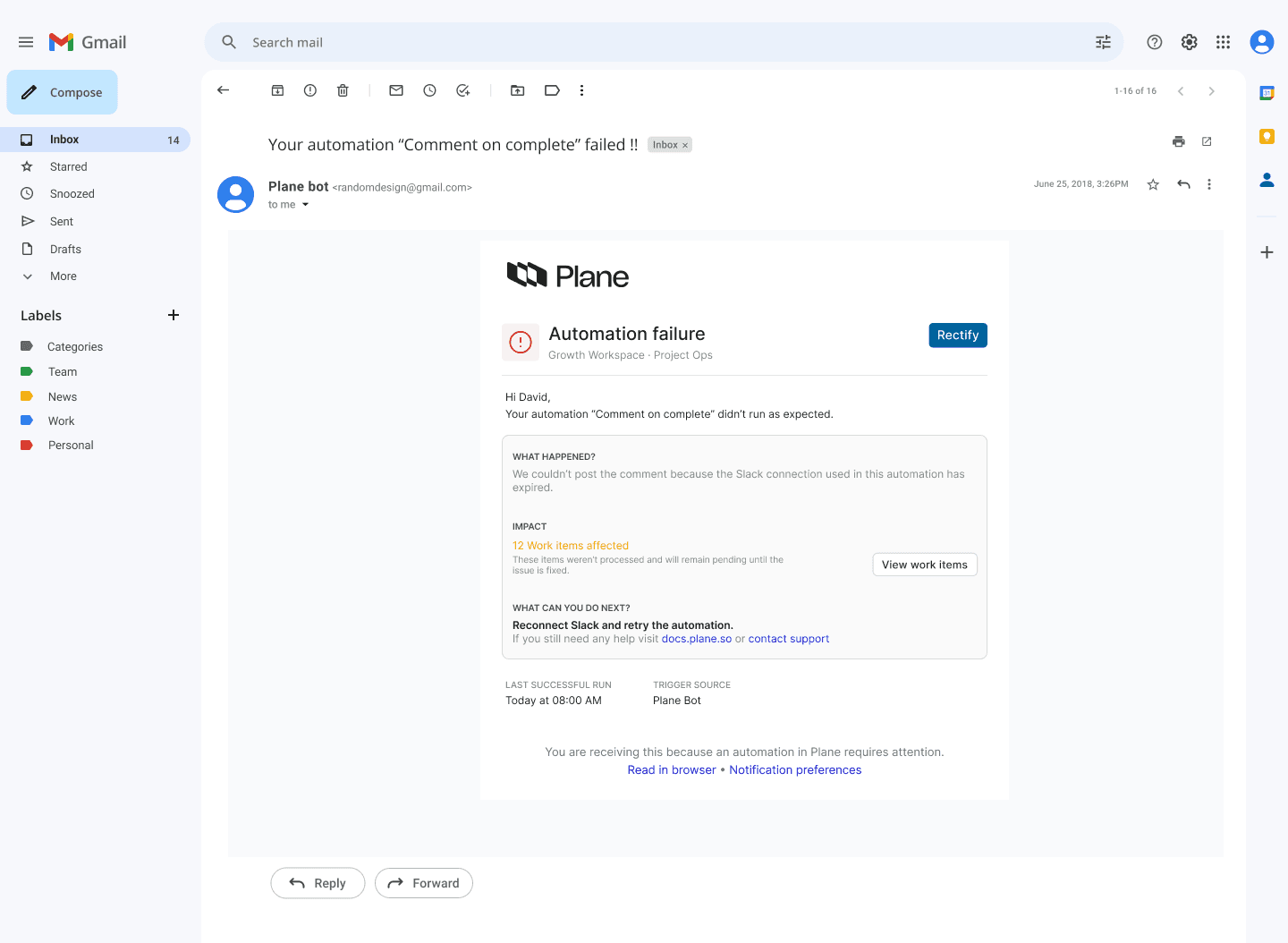
Notify the automation owner with context and a clear next step
View activity and run history for a published automation
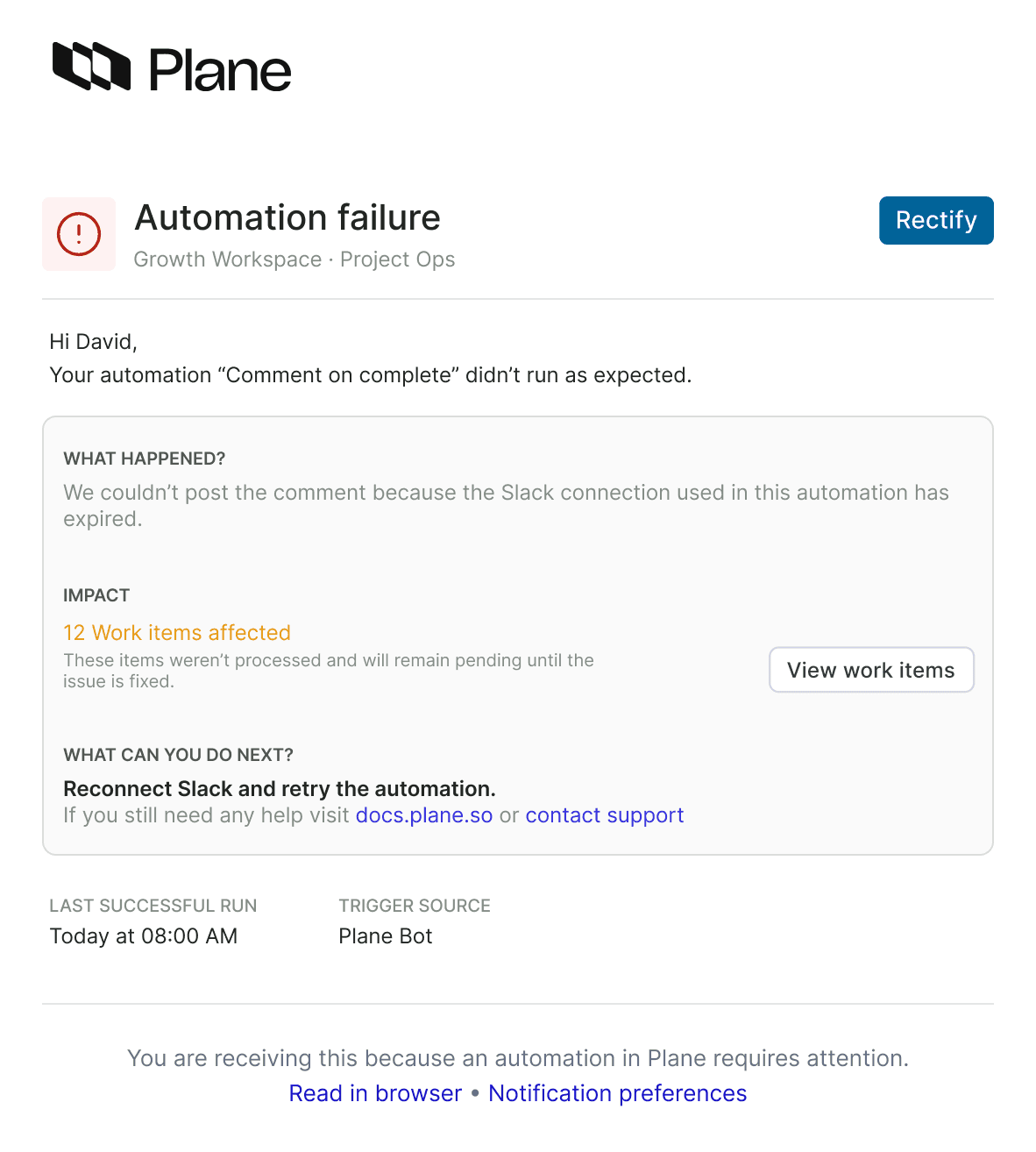
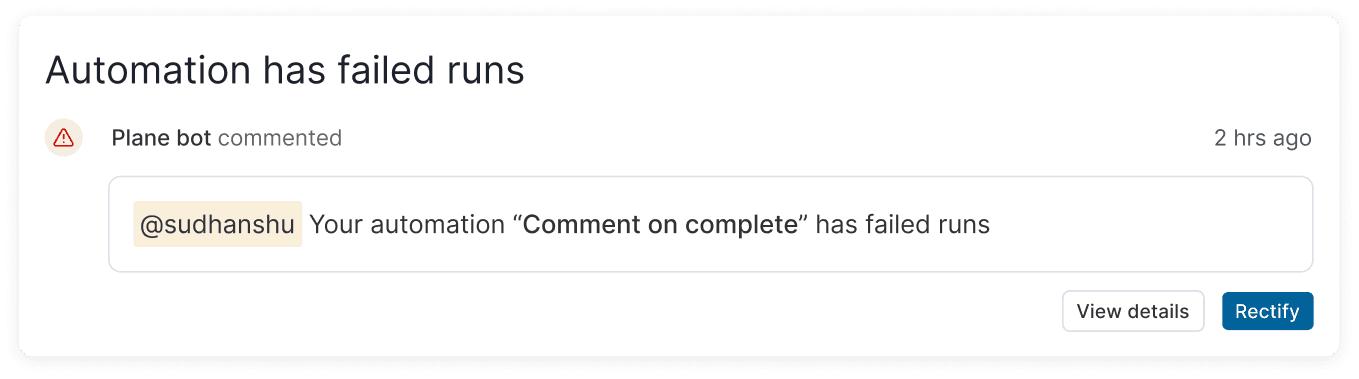
Notify the automation owner with context and a clear next step
the feature is shipped within
3 weeks
and this is how it works👇

Constraints and trade-offs we have to
make in our journey
Limiting automation scope to work items for the first release to reduce system complexity
Designing execution counting at trigger level, not action level, to keep usage metrics predictable and easy to reason about
Clearly differentiating triggers like “is” vs “changes to” to avoid unintended bulk actions
how automation is impacting our users
1/3rd of automation-related support tickets were resolved within 2 days, compared to longer manual cycles earlier
Noticeable reduction in repetitive manual updates for PMs across active projects
Fewer support requests related to bulk actions and missed updates
Cleaner workspaces as inactive and completed work was handled automatically
* The numbers are anticipated and based on early adoption patterns, internal observations, and initial customer feedback.
What did I learn from this project?
Getting feedback early, especially on prototypes, gave us a lot more clarity and made the experience smoother.
We wanted to ship fast, but not at the cost of bad UX, so we pushed the launch a bit to fix things.
Close collaboration with engineering early in the process really helped. We asked a lot of questions and understood what was feasible on the development side early on, and that what shaped a better product
Thanks for staying till end!
Product design
Increased work efficiency with automations in Plane
As Plane scaled with more enterprise teams, repetitive manual work increased and began to feel like maintenance rather than meaningful product work.
Automations was designed to reduce this friction by handling predictable actions in a way teams could trust.
TEAM
2 Product Designers
1 Product Manager
2 Developers
Timeline
May - July'25
Company
Industry
Project management
Productivity
for some context
As more customers started using Plane to manage larger and more complex workflows, a clear pattern emerged.
Users were spending a disproportionate amount of time on repetitive, operational tasks instead of actual work.
Through internal feedback, customer conversations, and support requests, one core problem became evident:
As workflows scaled, users were spending a disproportionate amount of time on repetitive operational updates instead of meaningful problem-solving. These manual tasks often led to missed or delayed actions, creating inconsistencies across workflows, while bulk operations felt risky and hard to reason about, making it harder for users to confidently move work forward.
why it mattered
These manual actions added constant workflow noise and led to inconsistencies across projects, especially at scale.
as a result
Users expressed frustration over excessive manual tasks, which could lead to issues such as high drop-off rates and cluttered boards filled with outdated tickets. This situation might drive users to switch to other platforms, risking our business to competitors.
How did we tackle this?
One single rule defined how Automations work across Plane.
"When something happens, check a condition, then take an action."
Scope
Define where automation will work
Trigger
Identify the event that will start the automation
Action
Task that will be executed in the automation
but how do we get to this?
We needed to understand automation for how power user use them in their daily workflows.
I studied issues & support requests from GitHub & Discord, had direct conversations with customer success managers, analysed competitors to get insights on Automation flows, Information Hierarchy, patterns, user preferences and needs.
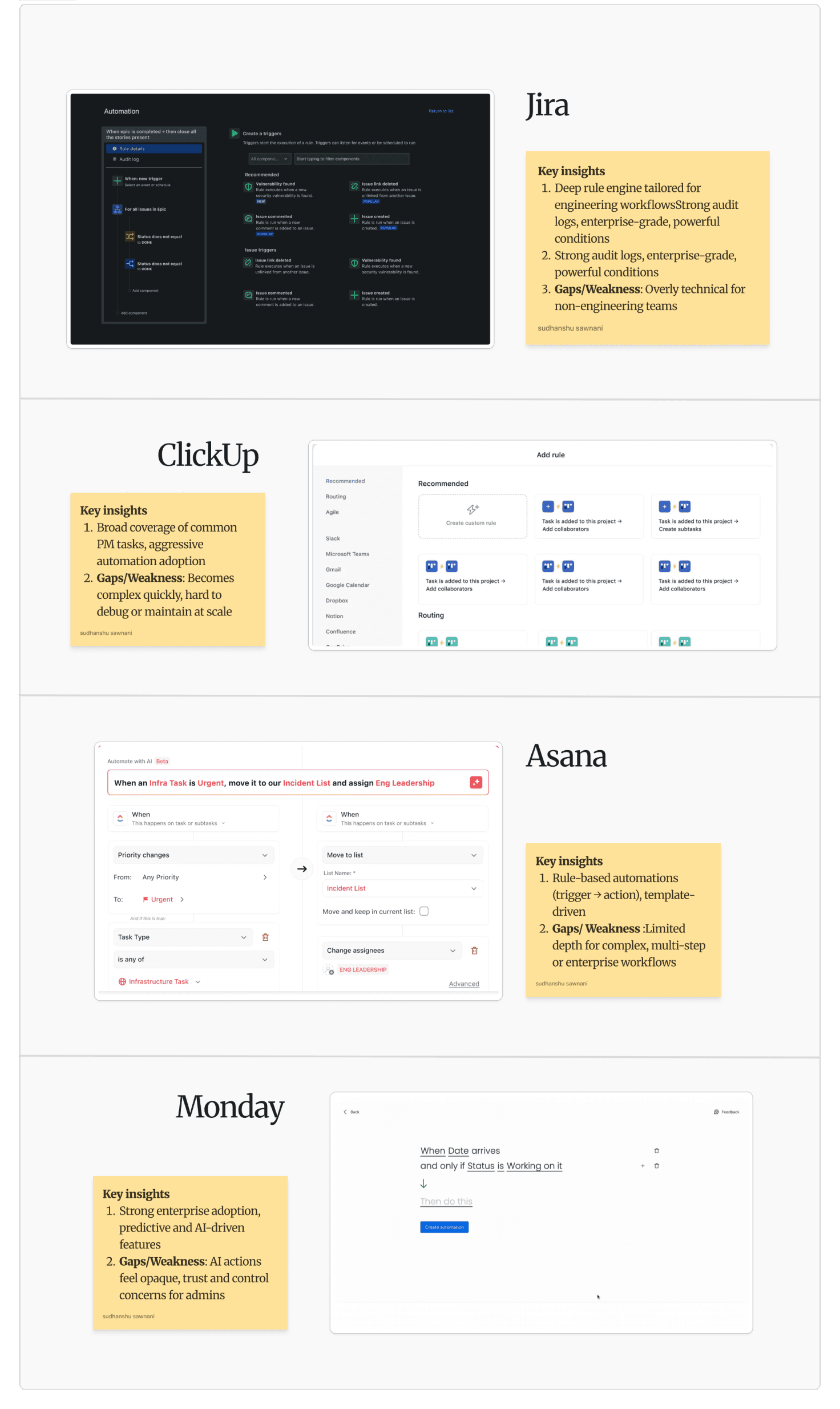
from these research insights, we drafted some user stories
Workspace admin / manager
As a workspace admin, I want to define and manage automations at a workspace level so I can standardize workflows and reduce manual overhead across teams.
Stakeholder
As a stakeholder, I want visibility into automation performance and outcomes so I can trust that work is progressing as expected without manual follow-ups.
Project admin / manager
As a project admin, I want to apply relevant automations to my projects so routine actions are handled automatically without breaking project-specific workflows.
Member
As a team member, I want routine updates to happen automatically so I can focus on my core work instead of maintaining issue states.
based on this,
we created initial set of wireframes and using those wireframes we created a working prototype in Figma Make to validate the concept with users and collect early feedback from PMs and stakeholders.
Please note that the image above is for visual reference only. The actual output cannot be shared due to NDA constraints.
this approach helped us move faster and validate decisions early,
here are the results...
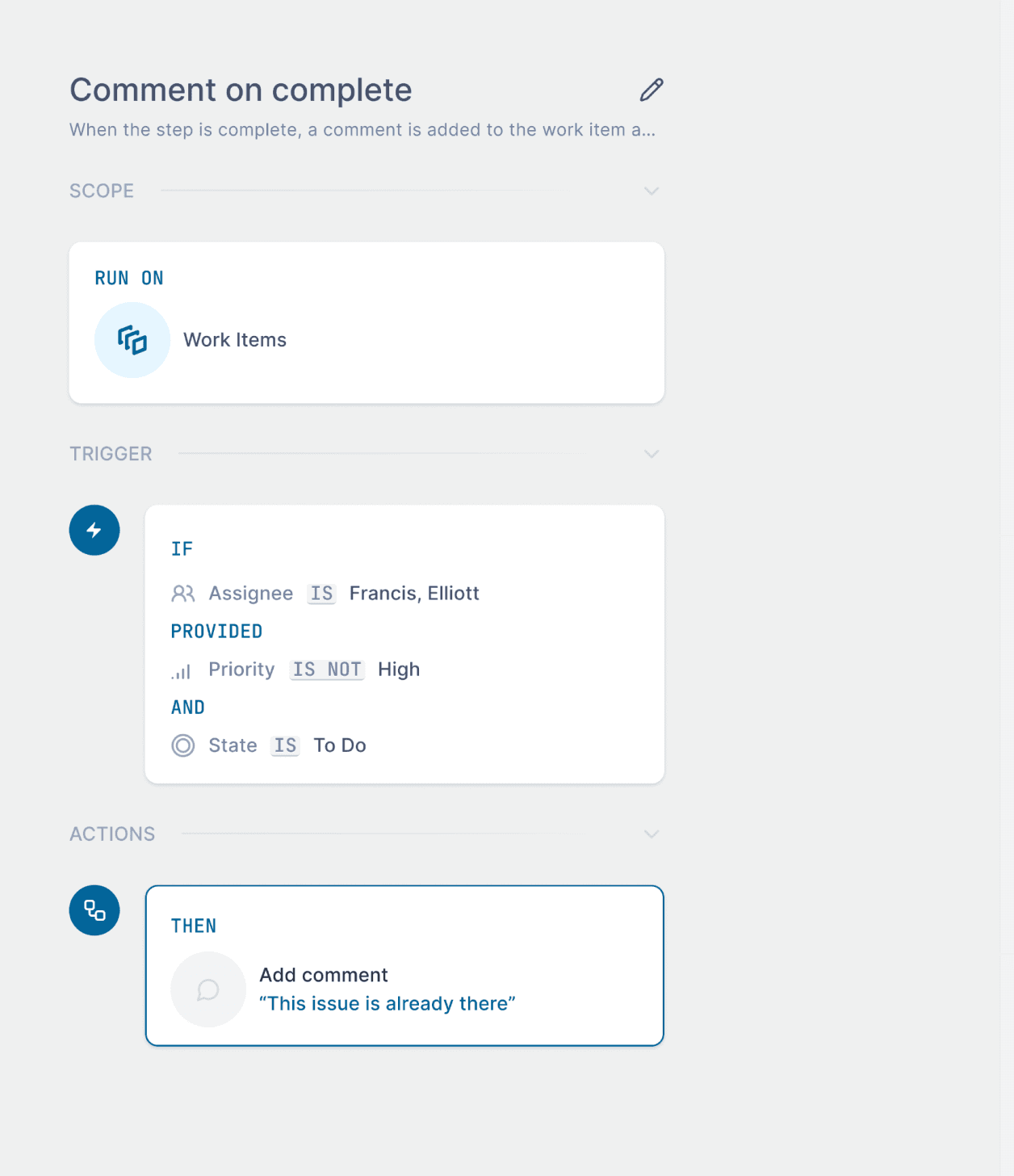
The Canvas
where automations come to life
Set the action that executes when conditions are met
Specify the conditions that trigger the automation
Choose where this automation applies
Give your automation a clear name and purpose so teammates understand what it does
The Canvas will reflect what is changing in real time
and
the Editor is where you are creating the automation
The Editor
where automations are configured and refined
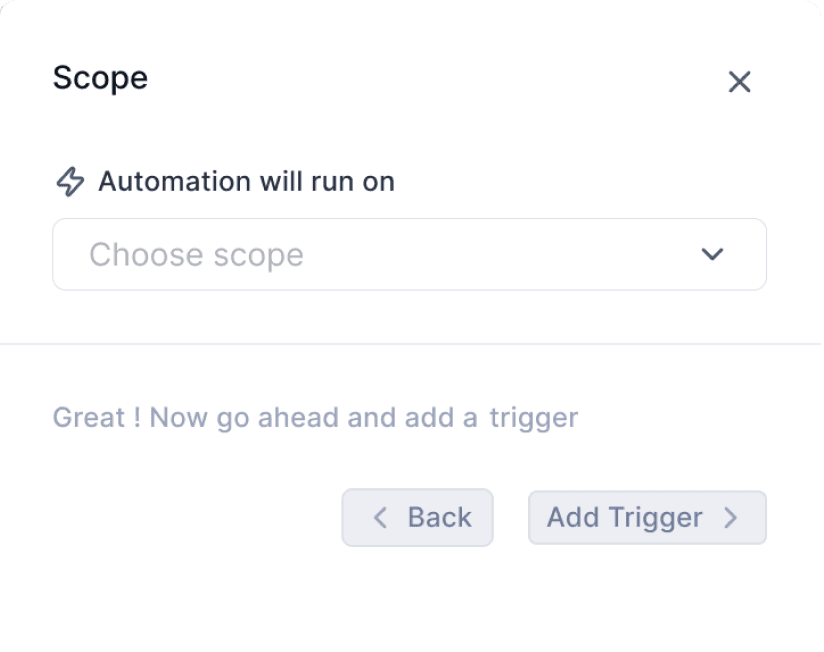
Choosing scope on which automation will run on
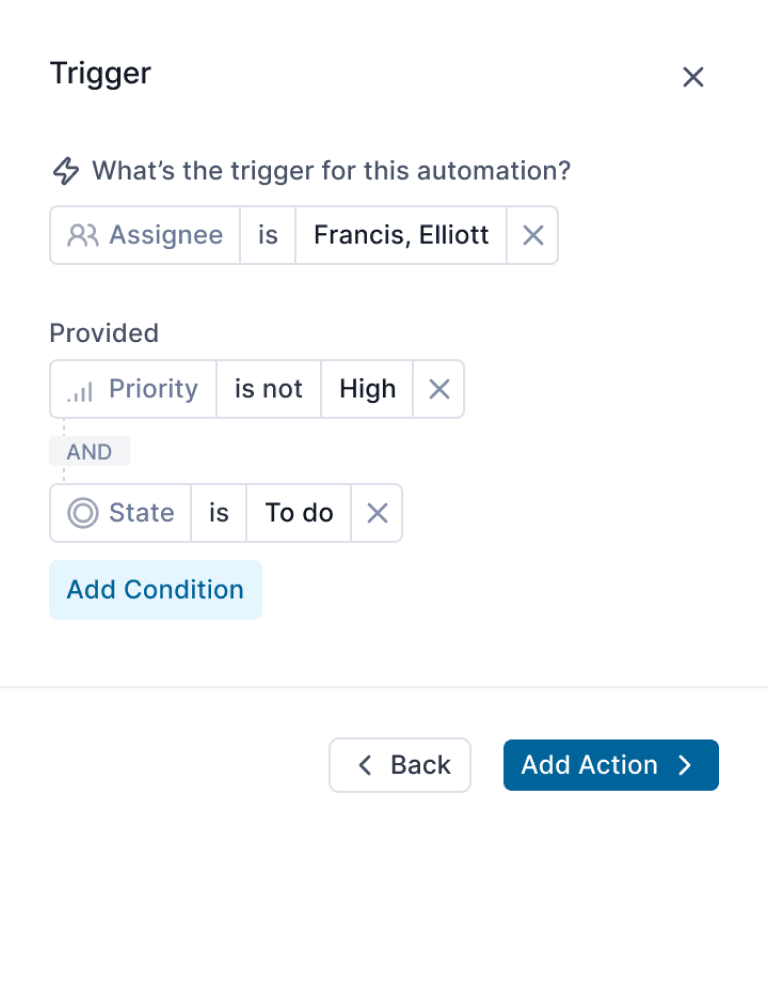
Choose a property-based trigger to start the automation
Add and combine conditions to control when the automation runs
Configure the action details before saving
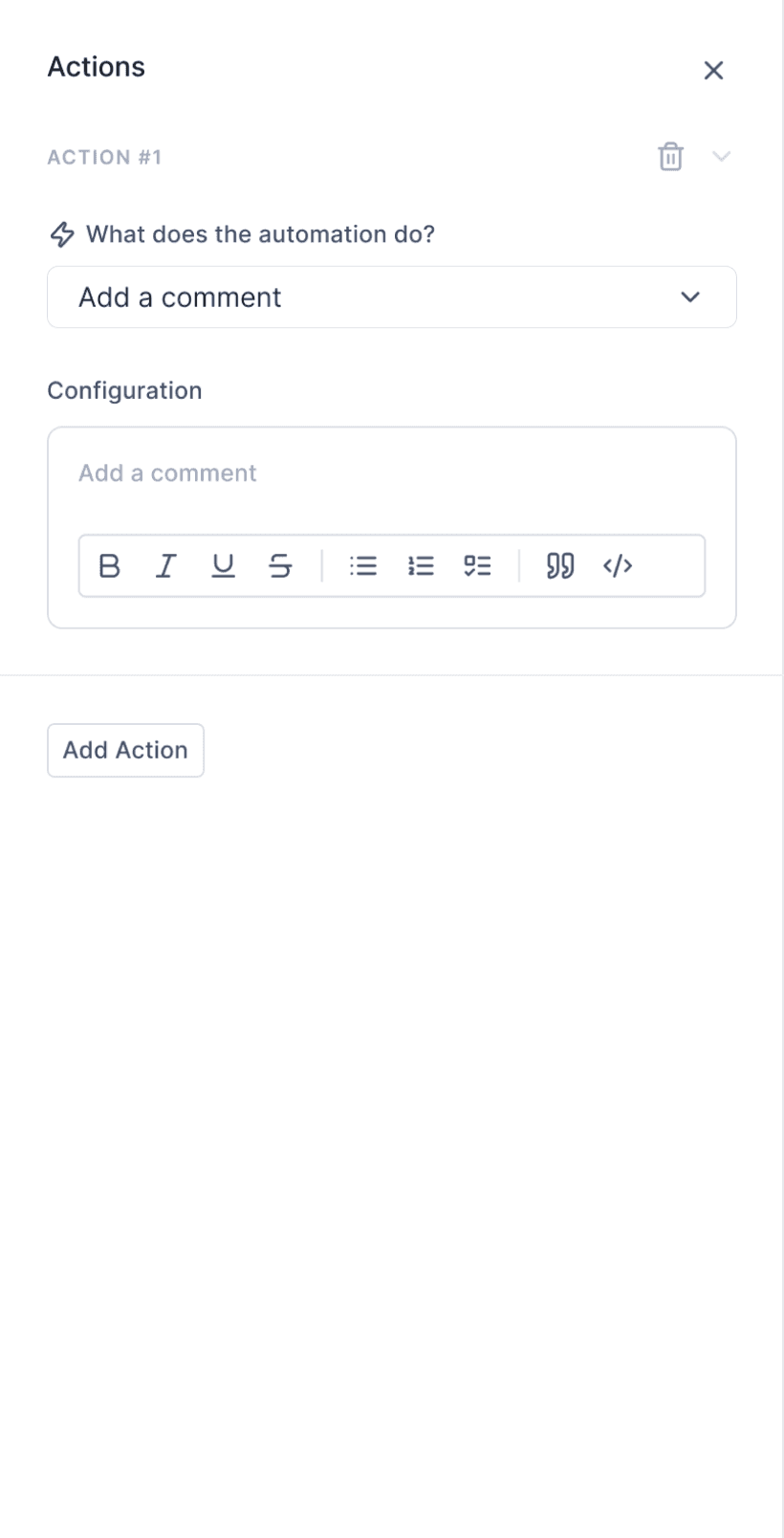
Define the action the automation performs
Now since automation is created, it is ready to be published and tracked
Published automation
monitor runs, failures, and performance in real time
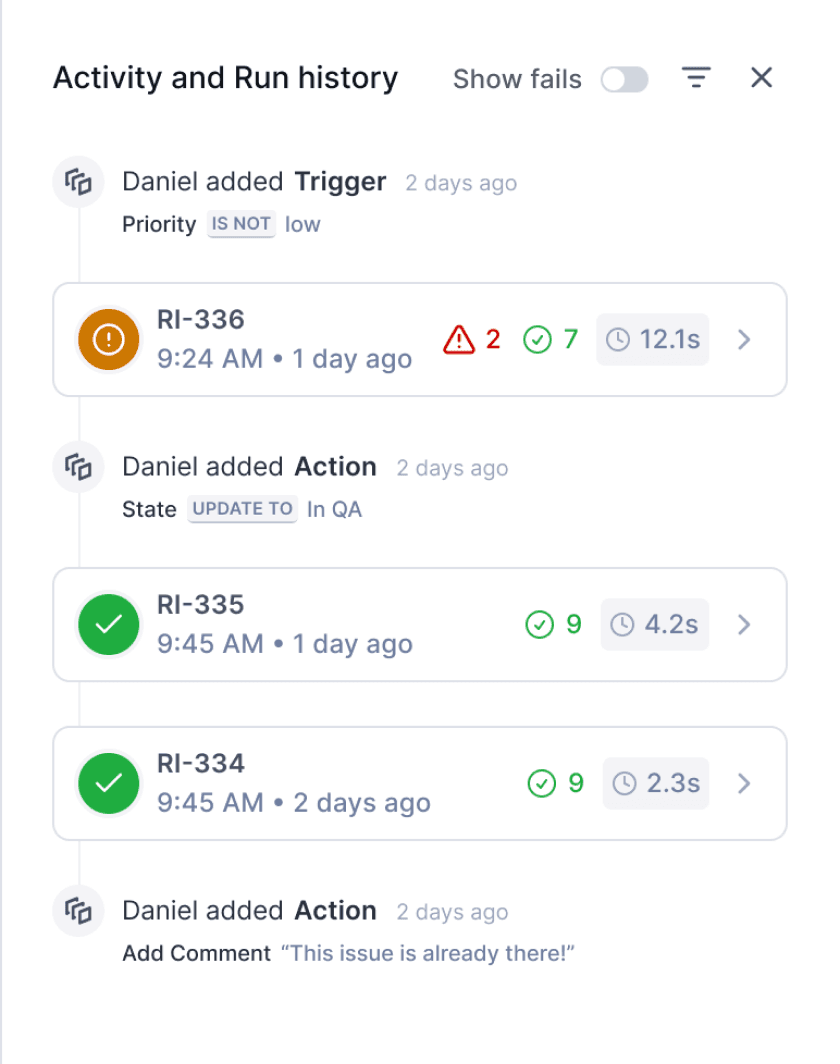
a timeline view for a published automation alongwith Run IDs and automation status
View the initiator to know who to contact
Hover to see why each automation failed
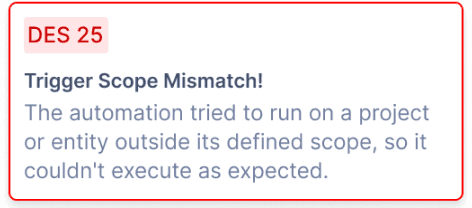
This shows Run ID, time of last run, how long an automation run
Toggle to view only failed runs and Use filters to switch between activity and run history
can’t finish without a failure. right?
No, not my failures, that will be helluva long list, I am talking about the automation failure states.
🗣️
If an automation fails, admins are notified via email, mobile, and web with a link to review and fix the issue.
Handling failures
Clear visibility and quick recovery
when automations fail
Notify the automation owner with context and a clear next step
Instant alert so issues are noticed right away
Track failed runs with logs to understand what went wrong
the feature is shipped within
3 weeks
and this is how it works👇
Constraints and trade-offs we have to make in our journey
Clearly differentiating triggers like “is” vs “changes to” to avoid unintended bulk actions
Limiting automation scope to work items for the first release to reduce system complexity
Designing execution counting at trigger level, not action level, to keep usage metrics predictable and easy to reason about
how Automation is impacting our users
1/3rd of automation-related support tickets were resolved within 2 days, compared to longer manual cycles earlier
Noticeable reduction in repetitive manual updates for PMs across active projects
Fewer support requests related to bulk actions and missed updates
Cleaner workspaces as inactive and completed work was handled automatically
* The numbers are anticipated and based on early adoption patterns, internal observations, and initial customer feedback.
What did I learn from this project?
Getting feedback early, especially on prototypes, gave us a lot more clarity and made the experience smoother.
We wanted to ship fast, but not at the cost of bad UX, so we pushed the launch a bit to fix things.
Close collaboration with engineering early in the process really helped. We asked a lot of questions and understood what was feasible on the development side early on, and that what shaped a better product
Thanks for staying till end!